How to Redirect All DNS Queries to OPNsense

{{< notice “warning” >}} Outdated {{< /notice >}}
My OPNsense installation runs AdGuard Home to filter advertisements and malicious websites, but many phone and computer applications hard-code external DNS servers such as Google DNS or 1.1.1.1. This can bypass AdGuard Home.
The following rule redirects all DNS queries to AdGuard Home (local DNS). Even when a client chooses another DNS server, queries sent over port 53 are redirected to OPNsense. This reduces DNS leaks and makes the local policy effective.
{{< notice “tip” >}} See the AdGuard Home installation guide. {{< /notice >}}
1. Open Firewall → NAT → Port Forward
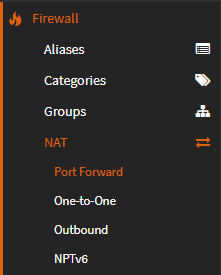
2. Click + to add a rule

3. Configure the rule
| Field | Selection | Notes |
|---|---|---|
| Interface | LAN | |
| Protocol | TCP/UDP | |
| Destination / Invert | Checked | |
| Destination | LAN address | Select the network to redirect, such as LAN or Guest. |
| Destination port range | DNS to DNS | |
| Redirect target IP | Single host or Network: 192.168.1.1 | Replace with the OPNsense LAN address. |
| Redirect target port | DNS | |
| NAT reflection | Disable |
Leave fields not listed above at their defaults.
4. Click Save and then Apply Changes

5. Open Firewall → Rules → LAN
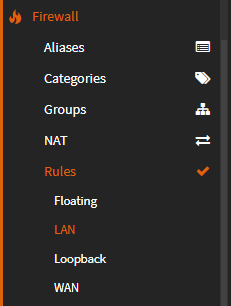
6. Move the new rule above the default LAN allow rule
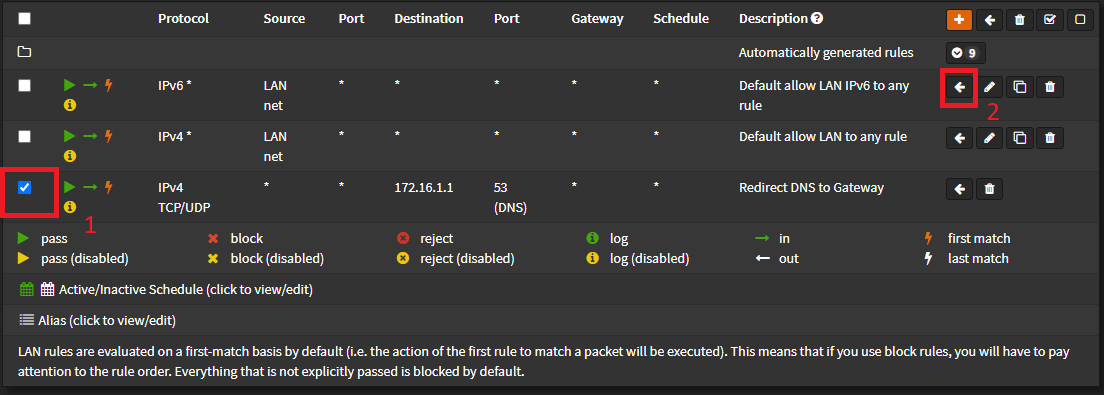
Click Apply Changes.
7. Test the result
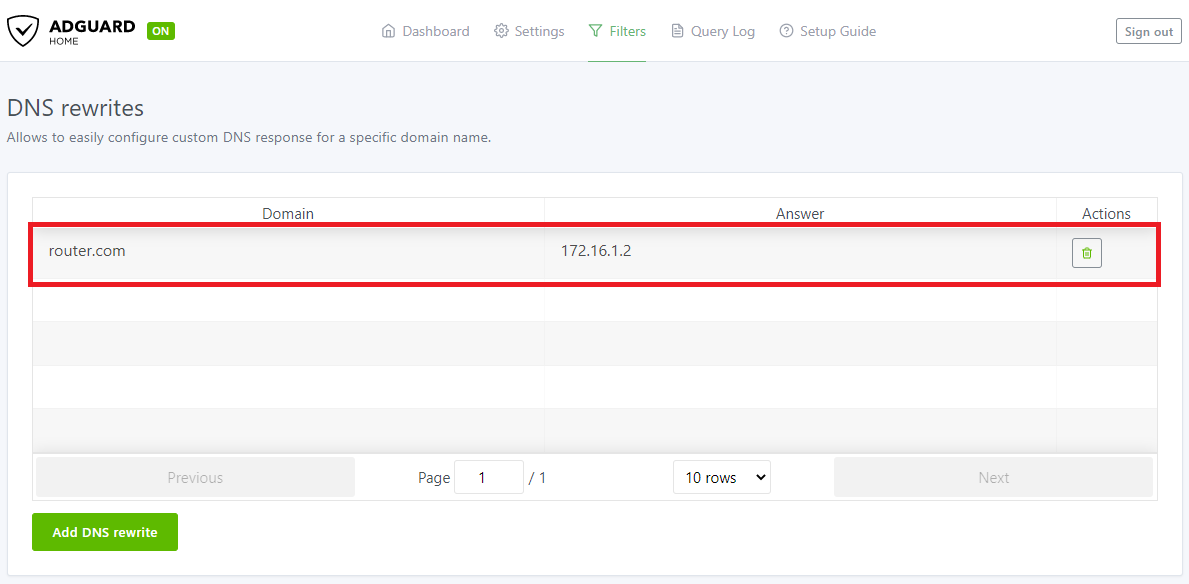
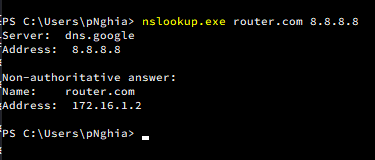
For testing, I configured an AdGuard Home DNS rewrite for router.com to return 172.16.1.2.
{{< collapse “Screenshot” >}}
 {{< /collapse >}}
On a Windows PC:
ipconfig /flushdnsnslookup router.com 8.8.8.8Although the client asks 8.8.8.8, OPNsense redirects the DNS query to AdGuard Home, so the result should be 172.16.1.2.
Good luck 😉
Comments & Discussion
Share your thoughts, ask questions and feedback