How to Configure NordVPN and VietPN on Padavan Firmware

To use NordVPN or VietPN, you must have an account with the service first.
PADAVAN is well known for its stability and relatively simple interface. Routers such as the Newifi 3D2 can run it well. See the Newifi 3D2 firmware collection for related information.
This guide shows how to integrate NordVPN or VietPN into the router. Once connected to Wi-Fi, clients can use the VPN connection without installing a separate application on each device.
1. Configure the VPN Client → Settings menu
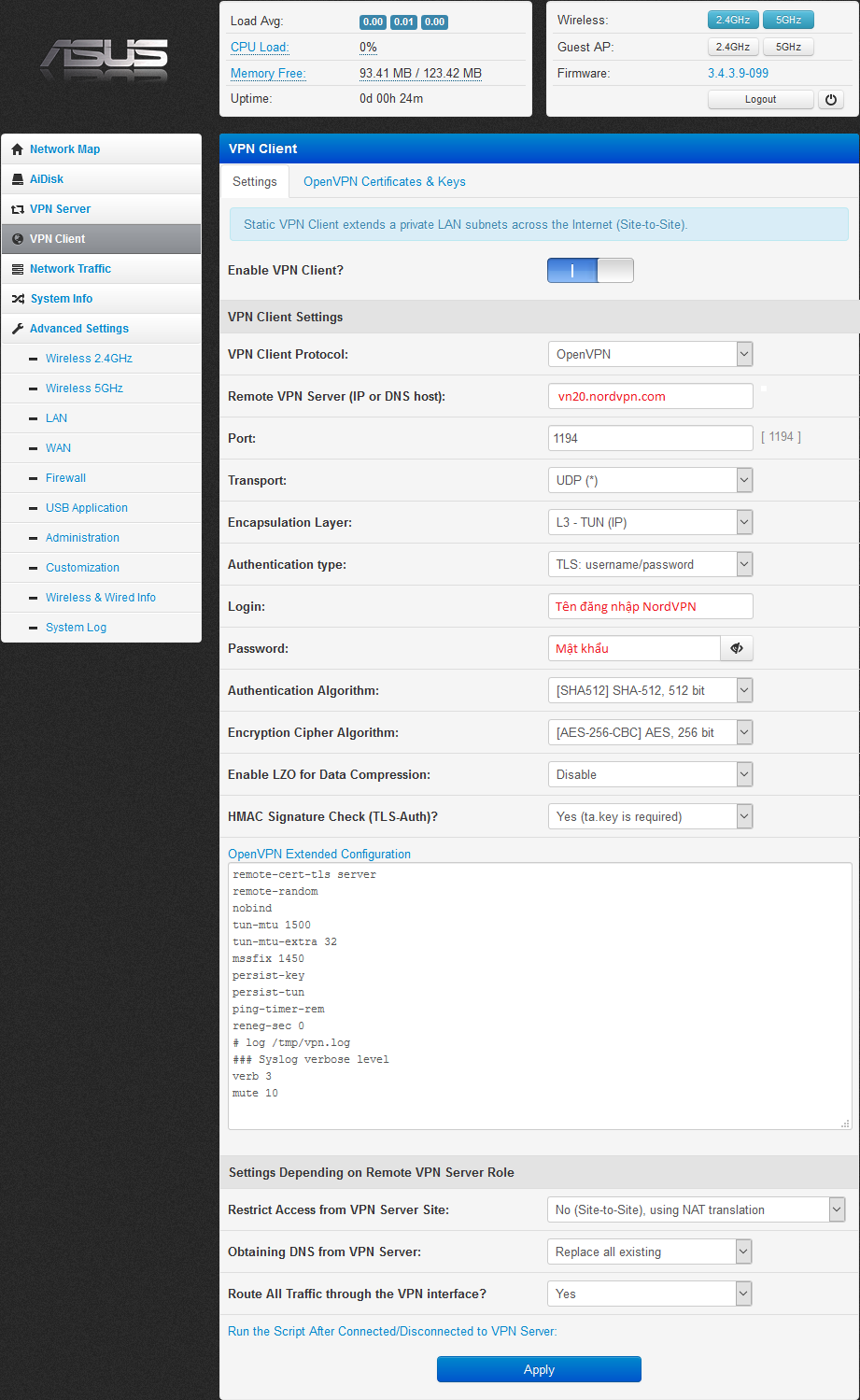
Enable VPN and enter the following values:
- Remote VPN Server (IP or DNS host): enter a NordVPN hostname. Use the NordVPN server tool to obtain one. For example, a Vietnam server may look like
vn20.nordvpn.com, while a US server may look likeus8923.nordvpn.com.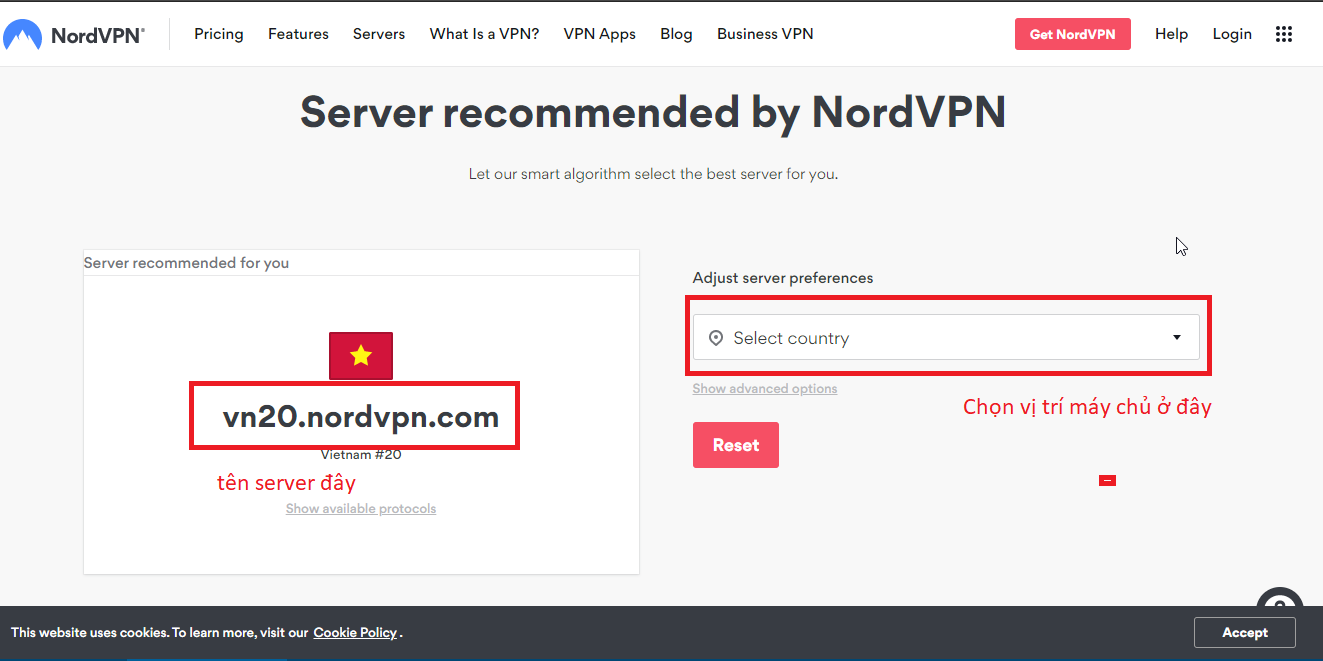
- For VietPN, download the configuration file from this page and use the values inside it.
- The server address appears after the
remoteline.
- Login: your NordVPN or VietPN account username.
- Password: your NordVPN or VietPN account password.
- Authentication Algorithm: SHA-512.
- Encryption Cipher Algorithm: AES-256-CBC.
- Enable LZO for Data Compression: Disable.
Open OpenVPN Extended Configuration and paste:
remote-cert-tls serverremote-randomnobindtun-mtu 1500tun-mtu-extra 32mssfix 1450persist-keypersist-tunping-timer-remreneg-sec 0# log /tmp/vpn.log### Syslog verbose levelverb 3mute 10- To use TCP instead of UDP, set Transport to TCP and Port to
443.
📂 Screenshot ▼
2. Click Apply, then open OpenVPN Certificates & Keys
This step is important. Follow the server and certificate names carefully.
- Download the NordVPN server certificates from the official archive.
- The ZIP contains two certificate files for each server.
- For example: vn20_nordvpn_com_ca.crt and vn20_nordvpn_com_tls.key.
- Copy the contents of xxxx_nordvpn_com_ca.crt into the ca.crt field.
- Copy the contents of xxxx_nordvpn_com_tls.key into the ta.key field.
xxxxis the server name. If the remote server isvn20.nordvpn.com, usevn20_nordvpn_com_ca.crtandvn20_nordvpn_com_tls.key.
For VietPN, set HMAC Signature Check to NO. Open the downloaded .ovpn file, copy everything inside the <ca></ca> tag into ca.crt, and leave ta.key empty.
- Click Apply.
Turn off Wi-Fi on the phone, reconnect to the router, and check whether the public IP has changed. If it has not, review the server, credentials, certificates, and transport settings.
Comments & Discussion
Share your thoughts, ask questions and feedback