Xiaomi Mi Router 3C Firmware Collection

Nghia Phan
Table of Contents
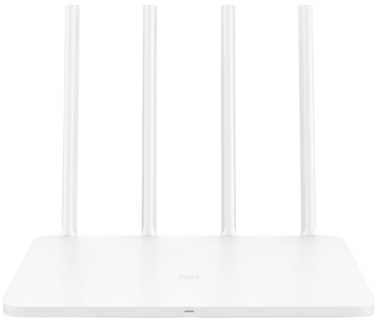
Hardware overview
| Type | Router |
| Model | Mi Router 3C / R3L |
| CPU | MT7628N |
| ROM | 16MB |
| RAM | 64MB |
| Network | 2.4GHz up to 300Mbps, 802.11b/g/n |
| Security | WPA-PSK, WPA2-PSK |
| Antenna | 4 external 5dBi |
| Ports | 2 LAN, 1 WAN (100Mbps) |
| Power supply | 5V / 1A |
Firmware upgrade notes
- Updating this router requires some electronics and software knowledge.
- One method that does not require opening the case or using a CH341 programmer is the OpenWRTInvasion script. It enables OpenSSH, after which Breed can be flashed and used to install firmware. A mistake while flashing Breed can brick the router and require a CH341 programmer for recovery.
- This page collects firmware; a detailed upgrade tutorial may be added later.
📎 Attachments
1 file - 📄Downloadbreed-mt7628-hiwifi-hc5661a.bin87.9 KB • 0 downloads
Firmware collection
1. Chinese stock firmware
- Version 2.14.45 (updated March 26, 2019). Download the official file here.
📂 Changelog ▼
- Solves DNS-resolution errors and intermittent network instability.
- Solves a rare configuration-loss issue after power failure.
- Optimizes the app-binding process.
- Optimizes system memory; the system is smaller and more stable.
- Fixes several minor issues and further improves stability.
2. English stock firmware
- Can be flashed directly through the Chinese firmware web interface.
- Version 2.8.51. Download from Google Drive here.
3. PADAVAN Jump firmware (port)
- Flash through Breed Bootloader or a CH341 programmer.
- Download from Google Drive here.
- Credit: Stels8800, 4PDA Russia.
4. PADAVAN Linaro firmware, version 3.4.3.9L-100_939f130 + USB + Breed
- Flash through Breed Bootloader or a CH341 programmer.
- Download from Google Drive here.
- Credit: Sedy, 4PDA Russia.
5. OpenWrt 18.06.1
- Flash through Breed Bootloader or a CH341 programmer.
- Wi-Fi password: 1234567890
- Download from Google Drive here.
- Credit: mogvai, 4PDA Russia.
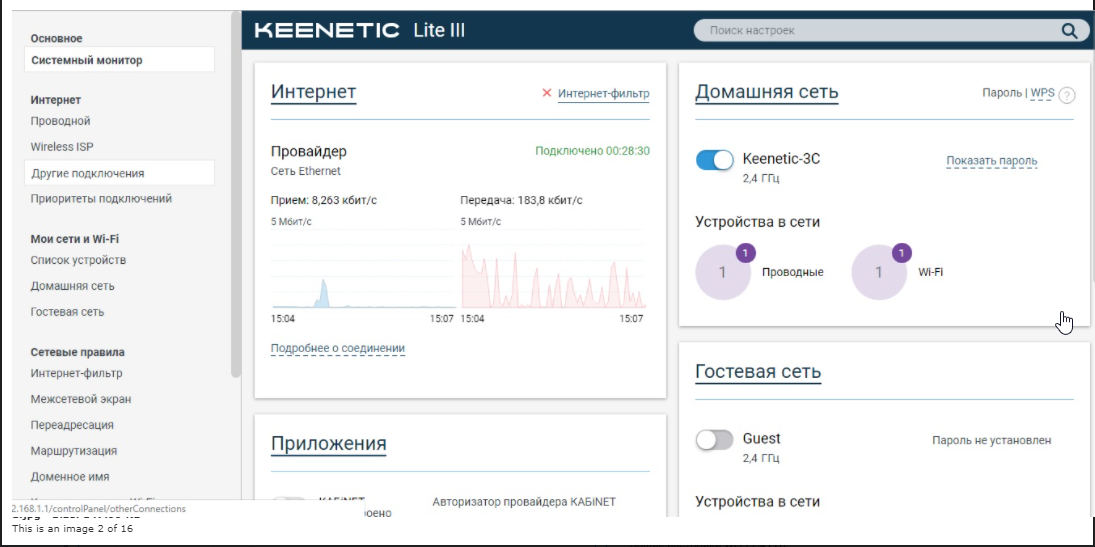
6. ZyXEL Keenetic Lite III rev:B
- Flash through Breed Bootloader or a CH341 programmer.
- Wi-Fi: Keenetic-3C / Password: 1234567890 / WPS: 76133565
- Download from Google Drive here.
- Credit: Sedy, 4PDA Russia.
📂 Screenshot ▼
ℹ️ Thông tin
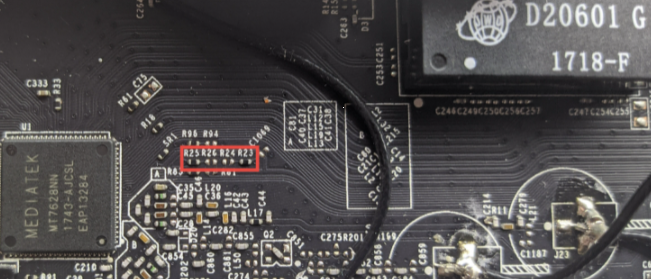
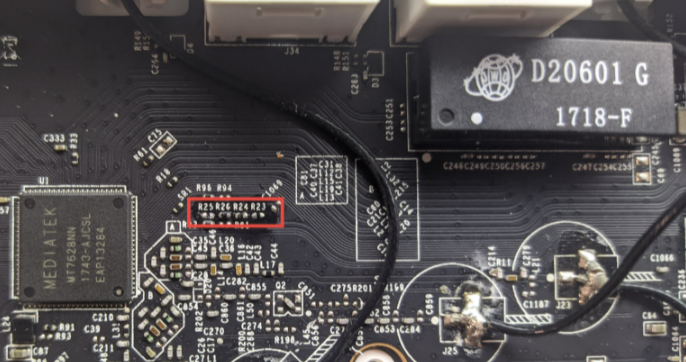
Some hardware revisions fail to boot after flashing this firmware. To fix that, desolder the two resistors at R23 and move them to R24 and R25 to R26 as shown in the images.
Leave questions in the comments or message me; I will help if possible. Good luck.
Comments & Discussion
Share your thoughts, ask questions and feedback