Upgrade Newifi3 D2 with Custom Firmware

I. Specifications
| Newifi 3 D2 specifications | |
|---|---|
| Target | Ramips |
| CPU | MT7621AT, 2 cores / 4 threads, 800MHz |
| ROM/RAM | 32MB / 512MB |
| Wi-Fi | MT7603EN, MT7612EN |
More information is available on the OpenWrt hardware page.
II. OpenSSH and Breed Bootloader
Newifi3-D2 uses a simple U-Boot that does not support online firmware upgrades or a web interface. Breed is an alternative bootloader designed for routers and adds web-based firmware flashing. Breed is not open source, so using it means accepting the risk.
1. Enable OpenSSH on stock firmware
Do this only when the Newifi3 D2 is running stock firmware and Breed is not installed. If the seller already installed Breed, skip this step.
Open http://192.168.99.1/newifi/ifiwen_hss.html. A Success response means SSH is enabled.
2. Install Breed Bootloader
- 📄Downloadnewifi-d2-jail-break.ko188.8 KB • 0 downloads
Open a terminal and run:
scp /path/to/newifi-d2-jail-break.ko [email protected]:/tmp# Replace /path/to/ with the directory containing newifi-d2-jail-break.ko.# Enter the router password. If forgotten, hold the rear button for 10 seconds to reset.ssh [email protected]cd /tmpinsmod ./newifi-d2-jail-break.koAfter insmod runs, the SSH connection will close and the router will reboot automatically. Wait for it to finish.
2.1 One-click Breed installer
- Download the required archive from Google Drive.
- Extract the four files. If Microsoft Visual C++ is not installed, run the appropriate
VC_redist.[arch].exe. - Power on Newifi3 D2, verify its IP is
192.168.99.1, and connect LAN to the PC. - Right-click NEWIFI - Breedweb.exe, choose Run as administrator, and follow the terminal prompts. When prompted, enter the router password.
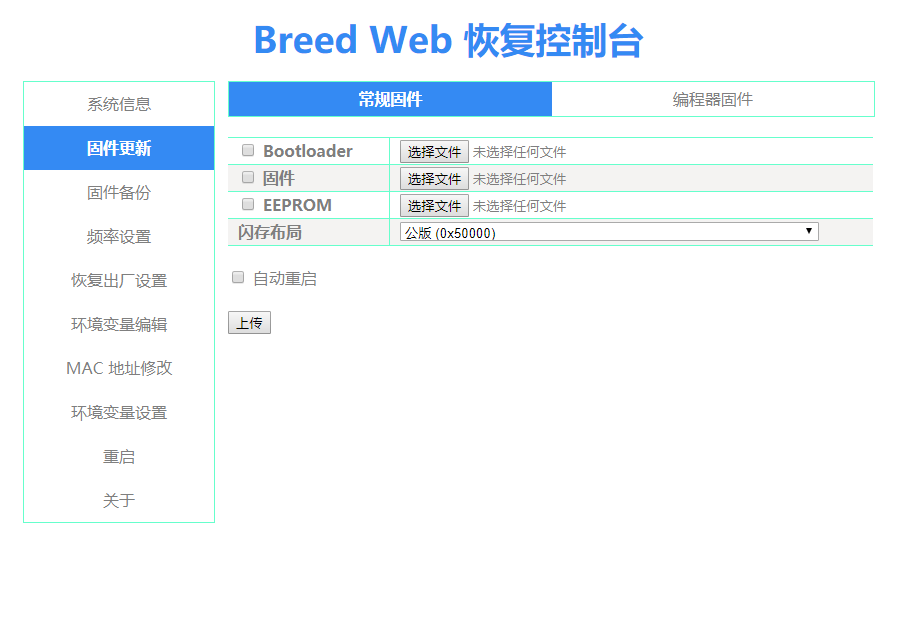
3. Access Breed Bootloader
Unplug the router, hold the Reset button near the power socket, reconnect power, and release Reset after the power LED flashes four times quickly. Connect LAN to the PC and open http://192.168.1.1.
📂 Breed interface ▼
III. Flash firmware
1. Firmware collection
There are more than ten Newifi3 D2 firmware options in the firmware collection.
2. Update firmware
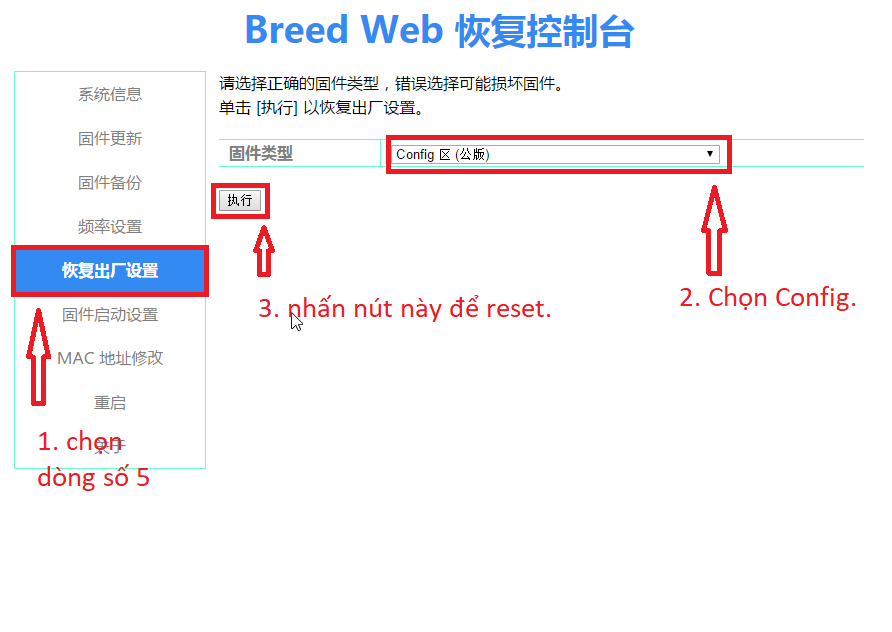
When switching between Padavan builds or OpenWrt-based ROMs, old configuration files may remain and cause conflicts. In BreedWeb, use Reset Config before flashing when required.
📂 Reset Config guide ▼
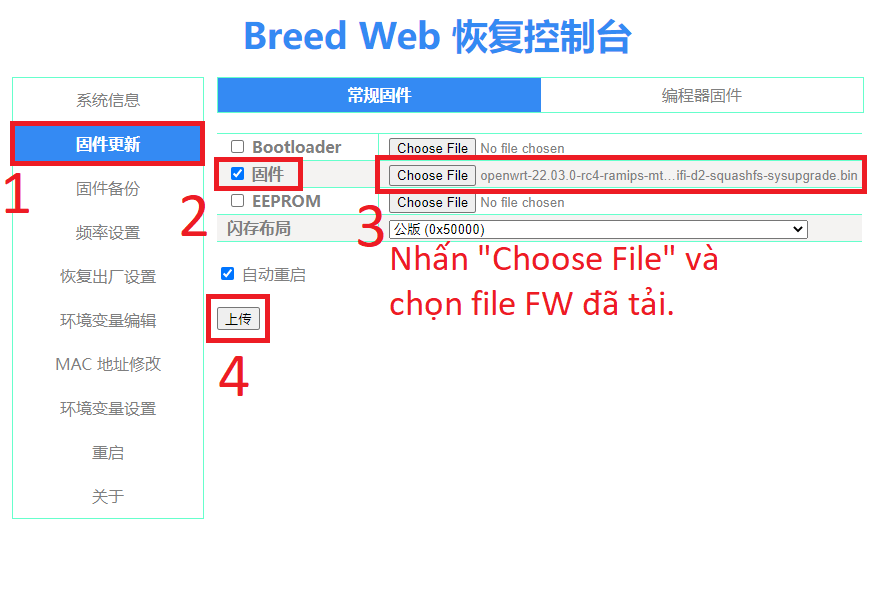
- Download the firmware.
- Open Breed Bootloader.
- Flash the firmware according to the Breed interface.
📂 Flash screens ▼
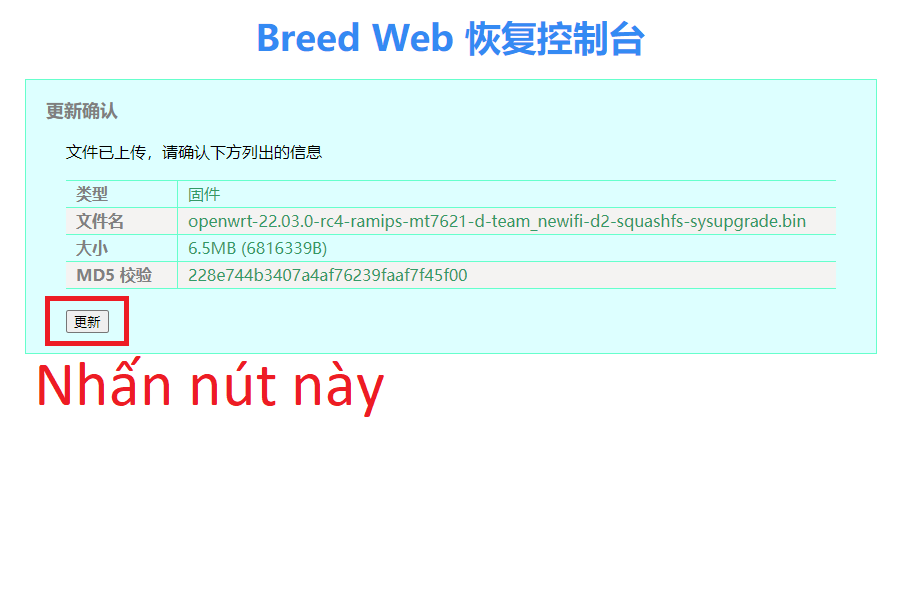
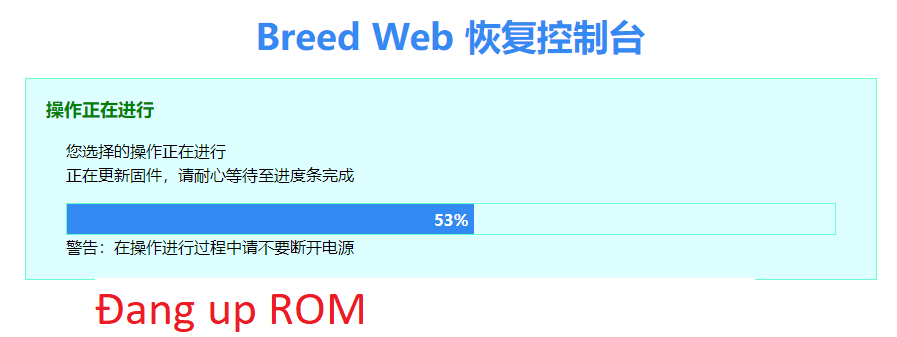
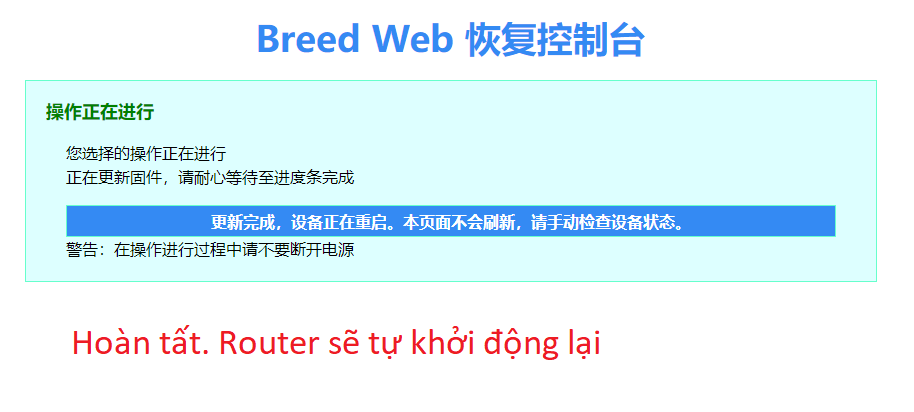
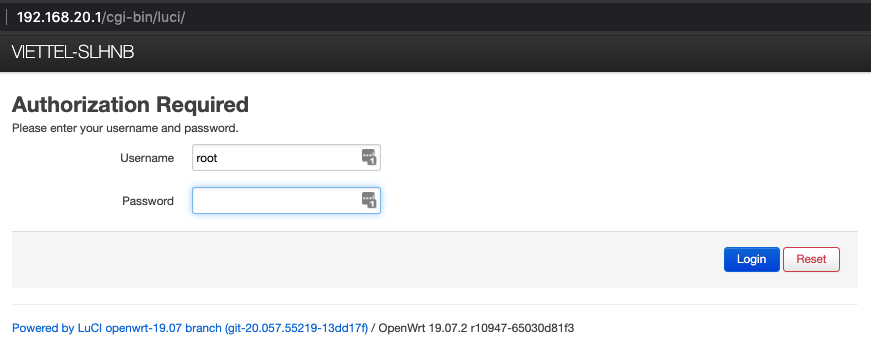
After flashing and rebooting, the green LED should turn on. The default address and password depend on the firmware: OpenWrt commonly uses 192.168.1.1, while Padavan commonly uses 192.168.123.1. OpenWrt’s default password is admin; check the firmware collection for other builds.
📂 Illustration ▼
Comments & Discussion
Share your thoughts, ask questions and feedback