RG-MA3062 ROM Collection (Stock and ASUSWRT) and Flashing Guide

{{<collapse “Overview”>}}
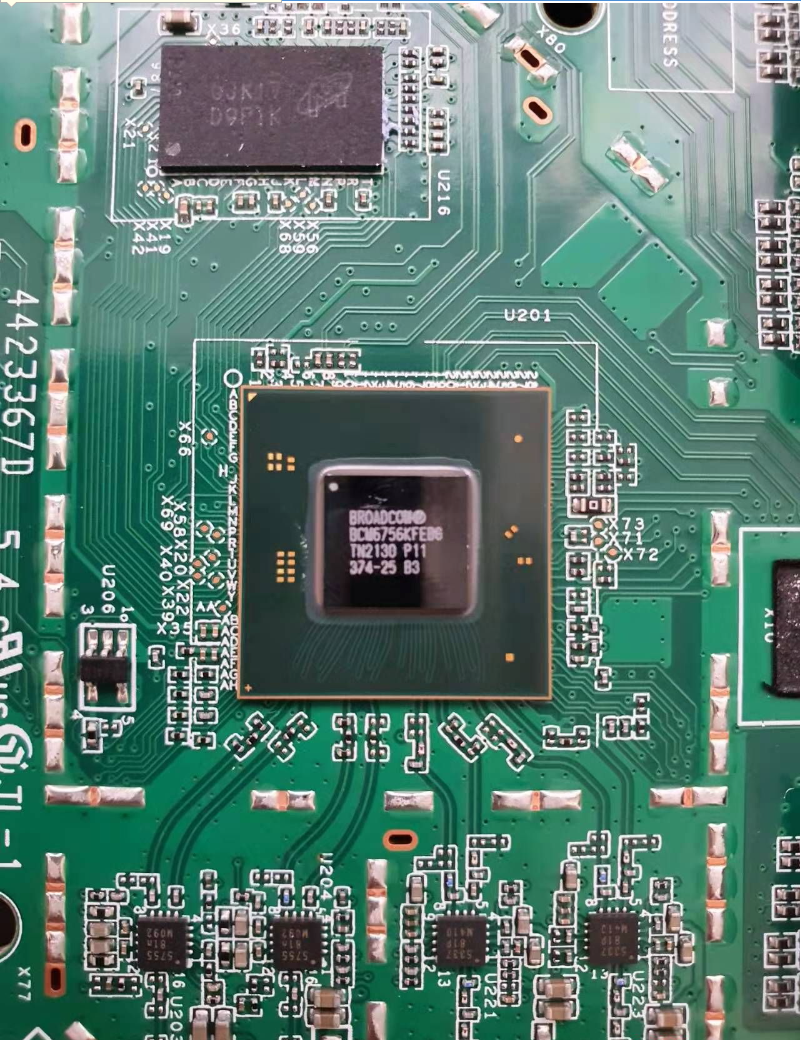
| CPU | Broadcom BCM6756, 4 cores, 1.7GHz | |
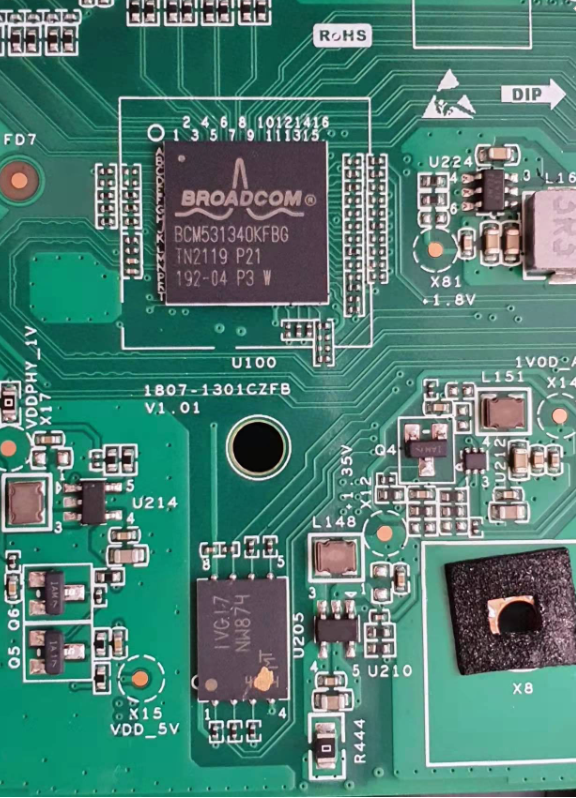
| RAM/ROM | 512MB/256MB or 256MB/256MB | |
| Wi-Fi | 4 antennas, AX3000, 2 × 2.4GHz FEM + 2 × 5GHz FEM |
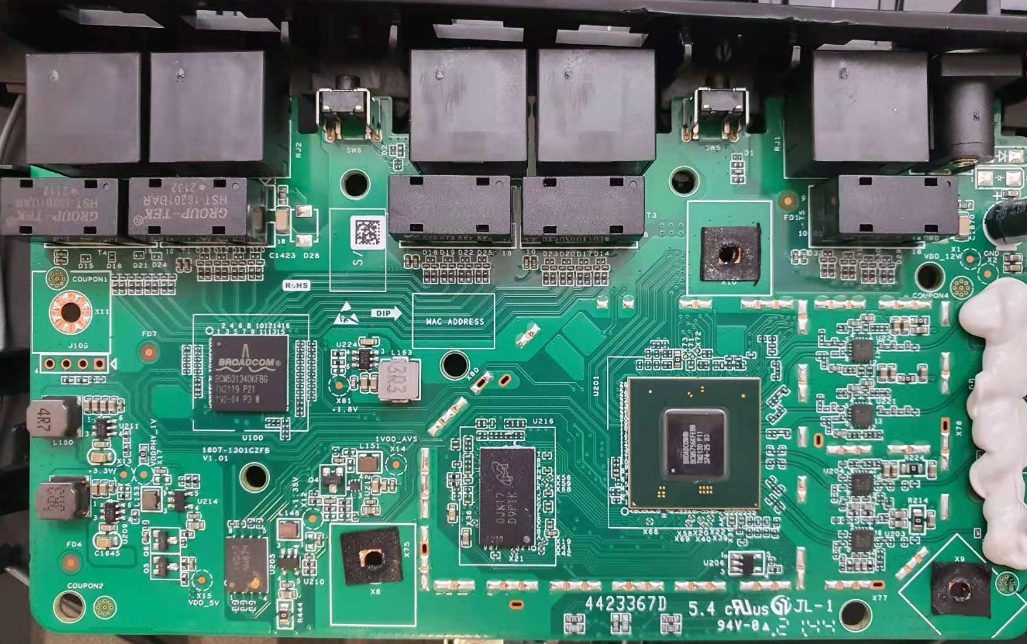
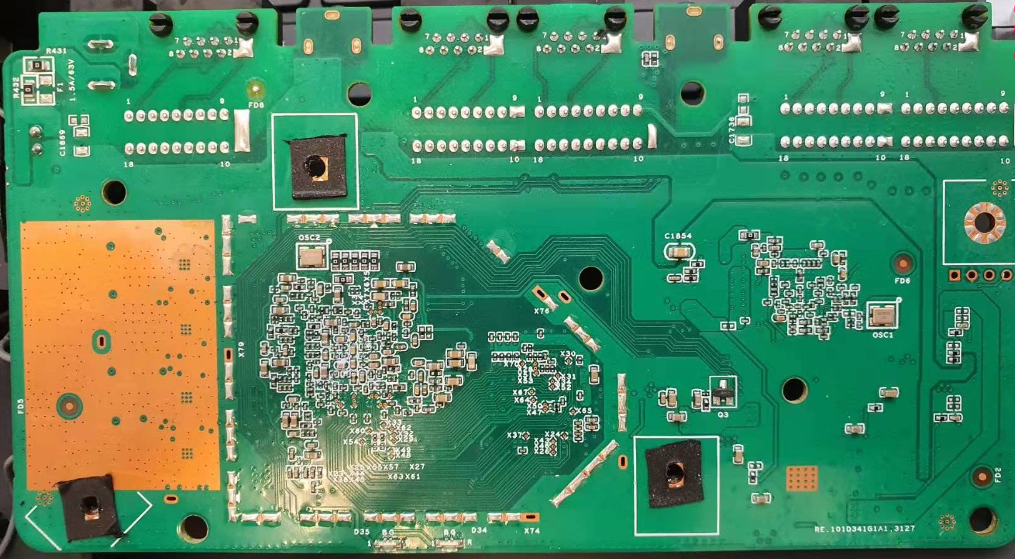
There is little international information about this model; the component photos are shown below. {{}}
I. Internal components of the MA3062
Front overview:
Rear overview:
CPU, RAM, 2.4G FEM, and 5G FEM:
BCM5313 switch and 256Mb SPI-NAND:
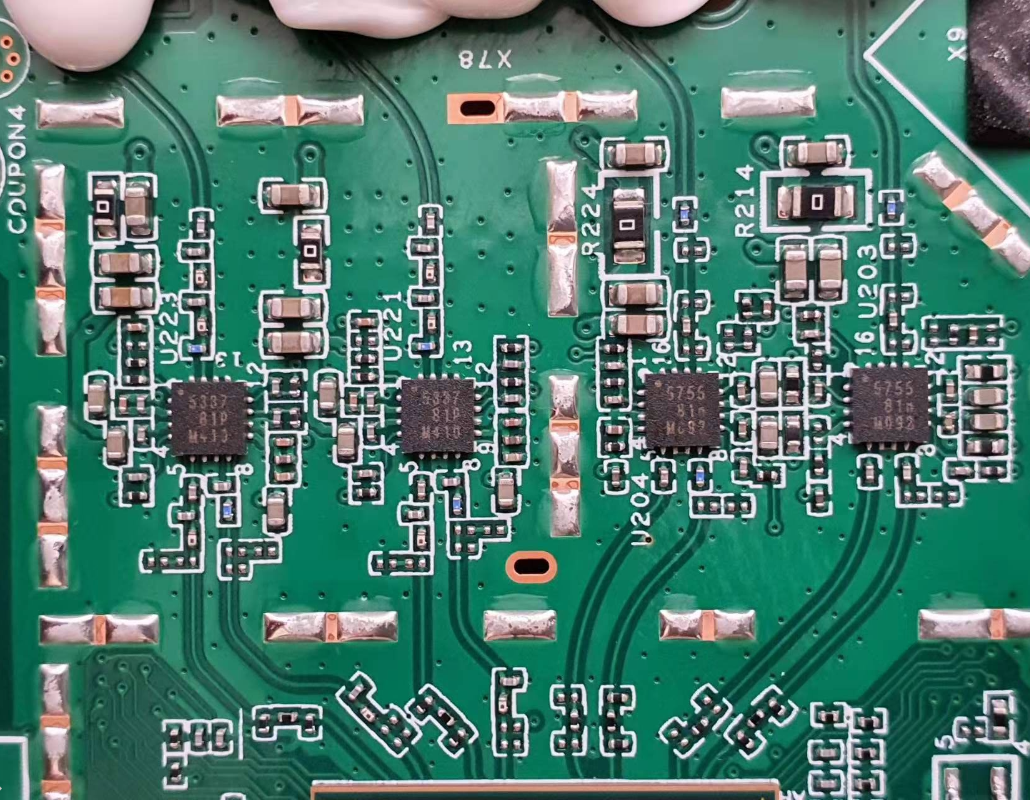
2.4G and 5G FEM close-up:
The FEM markings are 5337 for 2.4GHz and 5755 for 5GHz. Later batches may use Skyworks sky85337/sky85755 or Weijie Chuangxin VC5337/VC5755 (details). All are good FEMs and performance differences are small.
{{<notice “danger”>}}
- RGMA3062 may have several hardware codes, including
B5,B5P1, andB5P3.B5andB5P3generally have 256MB RAM.B5P1is the highest-specification version with 512MB RAM.
Firmware is not interchangeable between hardware codes. ASUSWRT firmware supports only B5P1; B5 and B5P3 require a RAM upgrade to 512MB.
{{}}
II. ROM collection
II.1 Stock ROM
| Version | Link |
|---|---|
| MA_1.1(1)B5P1_MA3062_09161501 | Direct link |
| MA_1.1(1)B5P3_MA3062_09180116 | Direct link |
Change the extension to .bin when flashing through the stock web interface.
II.2 ASUSWRT Mod (SWRT by paldier)
{{<notice “danger”>}} Following this guide means accepting the risk. If you encounter a problem, leave a comment or contact me for help. {{}}
SWRT is modified from ASUS source code by paldier for compatibility with the MA3062. It supports AiMesh, the full mobile app, and ASUS features.
| Version | Link |
|---|---|
| R5.2.3 | Direct link |
| R5.2.4 | Direct link |
{{<notice “warning”>}}
- These are the author’s original demo builds; a key is required for continued use. Without a key, the router reboots after 10 minutes.
- Test the demo first before buying a key to confirm compatibility. {{}}
General notes
- Use Chrome, a Chromium-based browser, or Firefox for best compatibility.
- Flash the exact hardware version; otherwise the brick risk is very high.
- Port 1 is the WAN port.
- A 12V/1.5A adapter is recommended, preferably 2A for additional headroom. See this 12V/2A adapter on Shopee.
{{<notice “warning”>}}
Read the flashing steps carefully. Verify the firmware MD5 checksum before flashing. Because non-B5P1 versions have a high brick risk and may require a RAM upgrade, the procedures below cover B5P1 only.
{{}}
Stock ROM → ASUSWRT Mod (SWRT), B5P1
Prepare
- Connect the router LAN port to the PC.
RGMA30622SWRTB5P1.bin(download), MD5:aa3bbb366f5640d2e138fb0c61ab89e2.- The newest firmware (download).
Flash
- Open the MA3062 management interface at
192.168.10.1orhttp://cmcc.wifi, open upgrade, and flashRGMA30622SWRTB5P1.bin. - After reboot, open
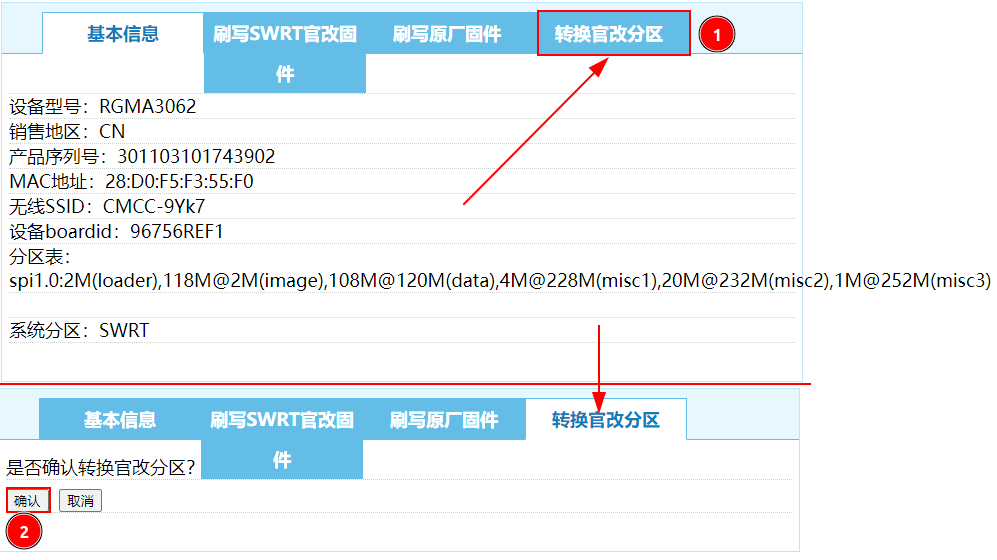
192.168.1.1. If the PC does not receive an address, set it to192.168.1.10with netmask255.255.255.0. - In the Chinese interface, open the rightmost menu and convert the partition layout for ASUSWRT.
- Open the second menu from the left, select
3.0.0.4_RGMA3062_R5.2.4_20174-g7d5f42a_nand_squashfs.pkgtb, and flash it.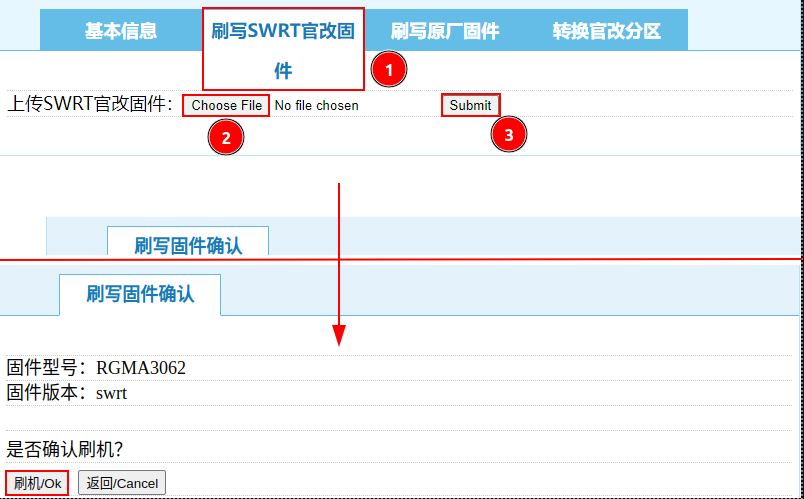
- A screen like the image indicates success; the router reboots into ASUSWRT at
192.168.50.1.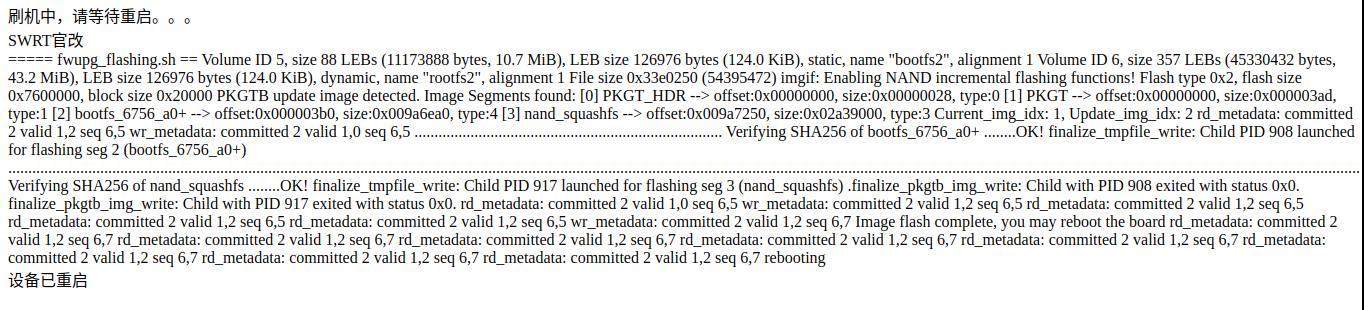
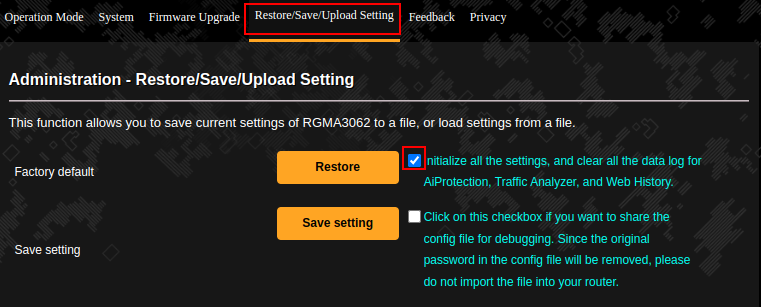
- Restore factory settings: Administration → Restore/Export/Upload Settings → Factory default, tick the checkbox beside Restore, then click Restore.
ASUSWRT (SWRT) → Stock ROM
Prepare
SWRT2RGMA3062.pkgtb(download), MD5:7cf33bf099bb47f765ee7dae61b2d2e3.- MA3062
B5P1stock ROM (download).
In ASUSWRT, open Administration → Firmware Upgrade → Manual firmware update, click Upload, and flash SWRT2RGMA3062.pkgtb. After reboot at 192.168.1.1, select the third menu from the left, choose MA_1.1(1)B5P1_MA3062_09161501.pkgtb, and flash the stock ROM.
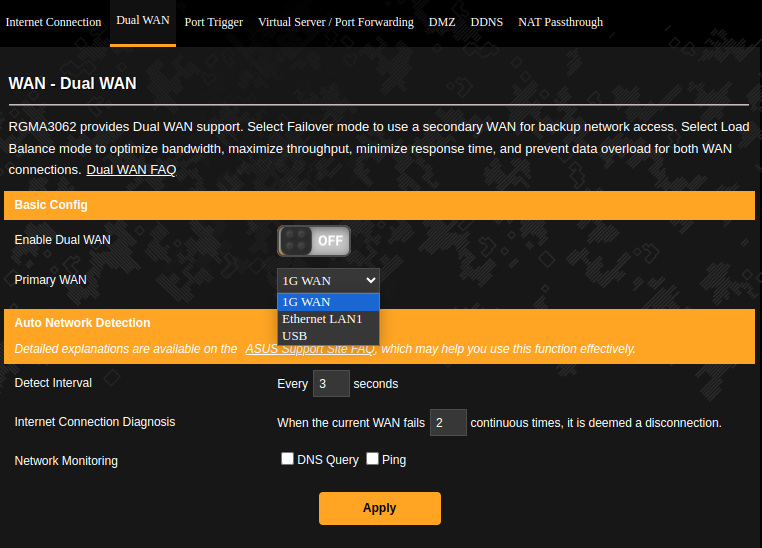
{{<collapse “ASUSWRT screenshots”>}}
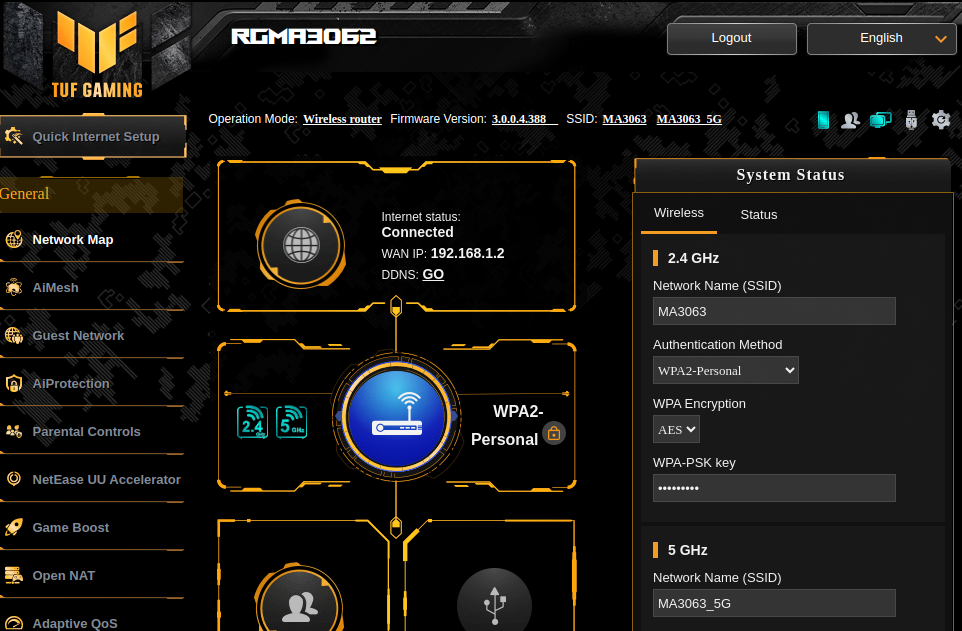
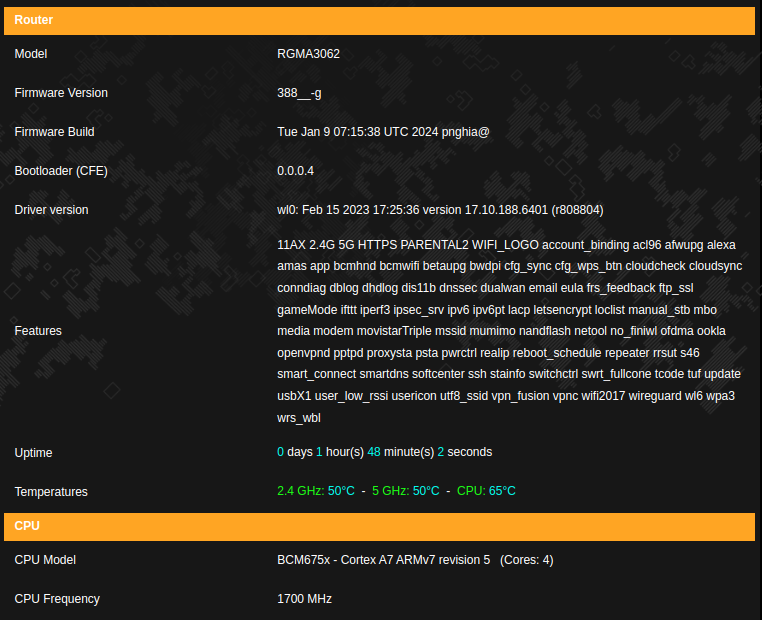
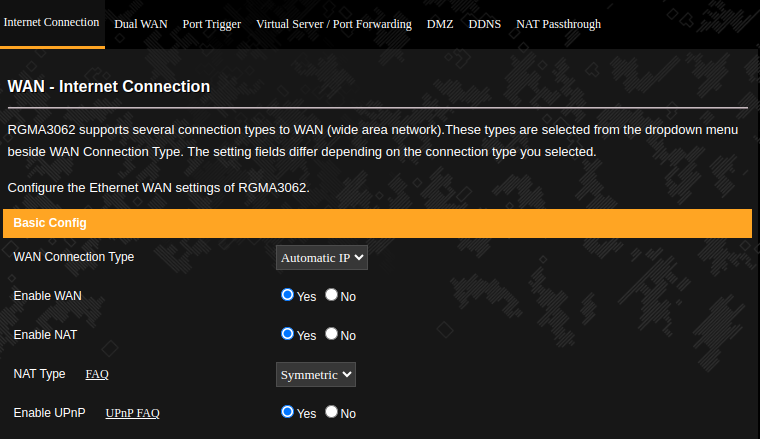
 {{}}
{{}}
Author link: https://blog.paldier.com/rgma3062/
Comments & Discussion
Share your thoughts, ask questions and feedback