How to Configure PPPoE on OPNsense

Nghia Phan
⚠️ Cảnh báo
Outdated
See the OPNsense configuration series.
- Log in to OPNsense at
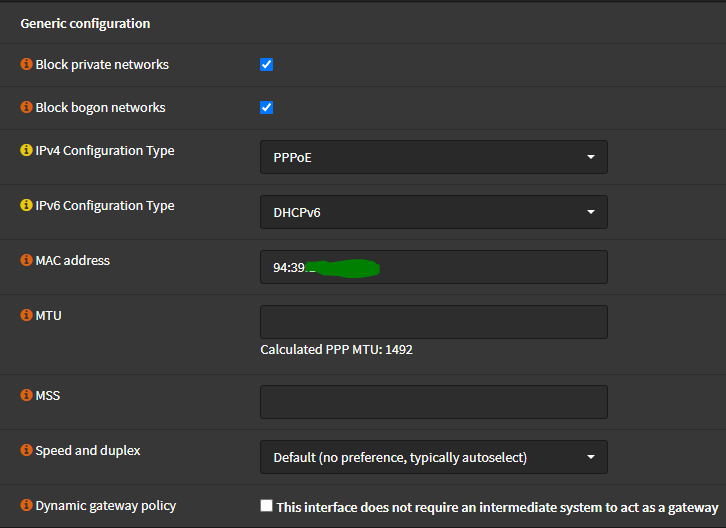
https://192.168.1.1with the configured administrator credentials. - Open Interfaces > WAN. Leave fields not listed below at their defaults.
| Field | Selection | Notes |
|---|---|---|
| IPv4 Configuration type | PPPoE | |
| IPv6 Configuration type | DHCPv6 | Select None if IPv6 is not used; the correct value depends on the ISP. |
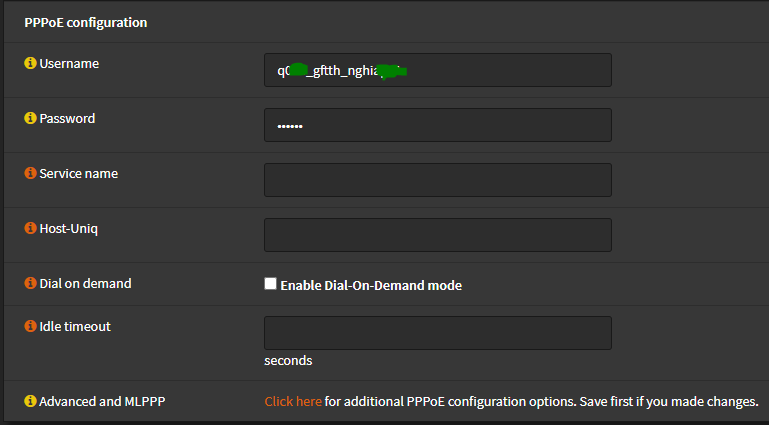
| Username | ISP-provided PPPoE username | |
| Password | ISP-provided PPPoE password |
📂 Screenshots ▼
Generic configuration:
PPPoE configuration:
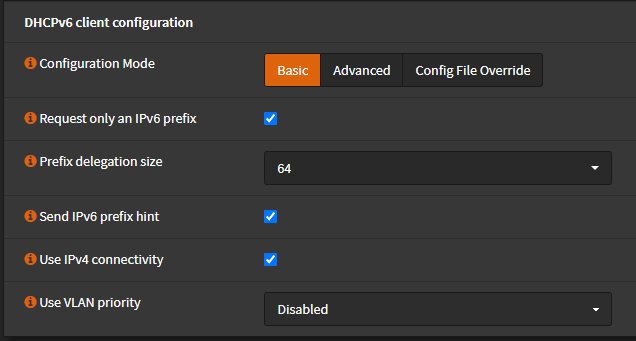
For Viettel IPv6, use DHCPv6 and configure:
| Field | Value |
|---|---|
| Configuration mode | Basic |
| Request only an IPv6 prefix | Checked |
| Prefix delegation size | 64 |
| Send IPv6 prefix hint | Checked |
| Use IPv4 connectivity | Checked |
| VLAN priority | Disabled |
📂 Screenshot ▼
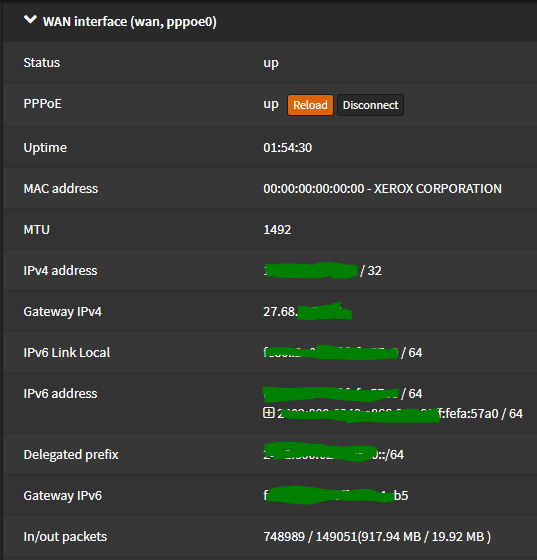
Click Save, then open Interfaces > Overview and select the WAN interface. A successful PPPoE connection should show the gateway and IPv4/IPv6 addresses.
📂 Screenshot ▼
Tags:
#opnsense
Comments & Discussion
Share your thoughts, ask questions and feedback