How to Configure Fast Roaming with OpenWrt

Nghia Phan
Table of Contents
What is Fast Roaming?
Fast Roaming allows a client to move from one Wi-Fi coverage area to another with less interruption. IEEE 802.11r and 802.11k are designed to make wireless roaming more seamless.
A roaming system needs:
- All APs configured with the same SSID, encryption, and password. Channels may be the same or different.
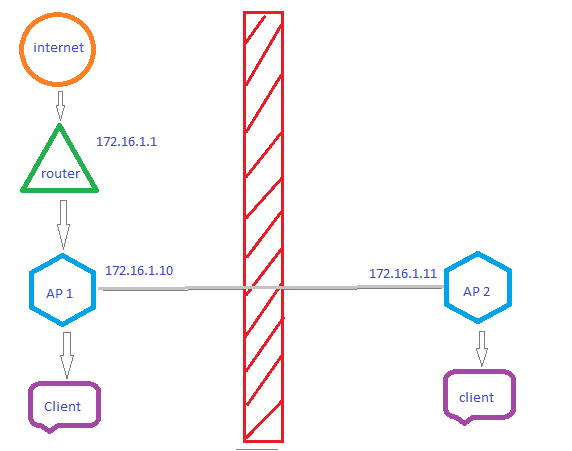
- All APs on the same LAN and able to communicate with one another.
Advantages:
- Each AP uses Ethernet backhaul to the same router or switch, so roaming does not reduce the backhaul speed.
- The connection speed in each AP area usually suffers less loss.
Disadvantages:
- The cost is higher, and running Ethernet to every router can be inconvenient.
Requirements
- At least two routers running a recent OpenWrt release. OpenWrt-based firmware such as PandoraBox or firmware supporting IEEE 802.11r and 802.11k may also work; this guide uses OpenWrt.
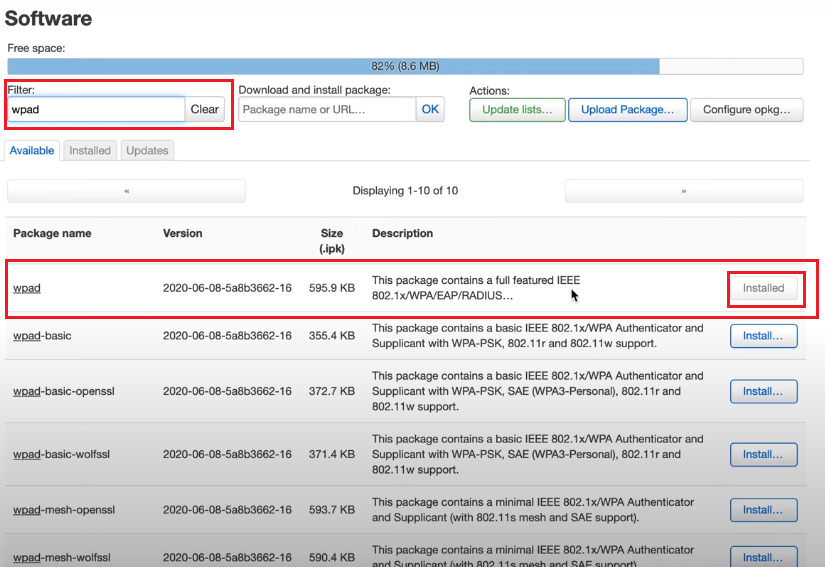
- The OpenWrt firmware must have the full wpad package installed.
📂 Details ▼
Install wpad over SSH:
opkg updateopkg remove wpad-miniopkg install wpadOr use LuCI: System → Software.
Configure Fast Roaming
Example topology:
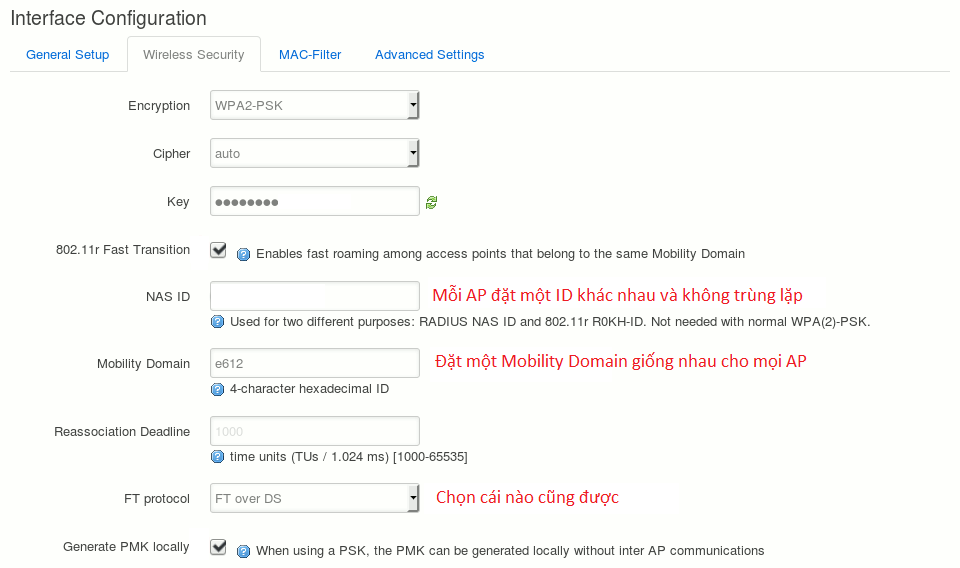
After installing wpad, open Network > Wireless, select the wireless network that should roam, and open Wireless Security. The 802.11r option should now be available. Configure it as shown in the screenshot.
Tags:
#openwrt
Comments & Discussion
Share your thoughts, ask questions and feedback