Tips for Optimizing Ping and Bufferbloat on MikroTik

What is FQ_CoDel?
FQ-CoDel combines Fair Queuing with Controlled Delay. It classifies incoming packets into flows and shares bandwidth fairly between them. Each flow is managed by the CoDel queue discipline, which internally uses a FIFO algorithm. Learn more in the MikroTik FQ-CoDel documentation.
This guide was originally shared by Phạm Đình Đức in the Wi-Fi Technology Community Facebook group.

The steps are:
- FQ-CoDel is available only on RouterOS v7.
- Test on your own MikroTik v7 device and compare the result with your previous queue configuration.
- Step 1: Create an FQ-CoDel SQM queue.
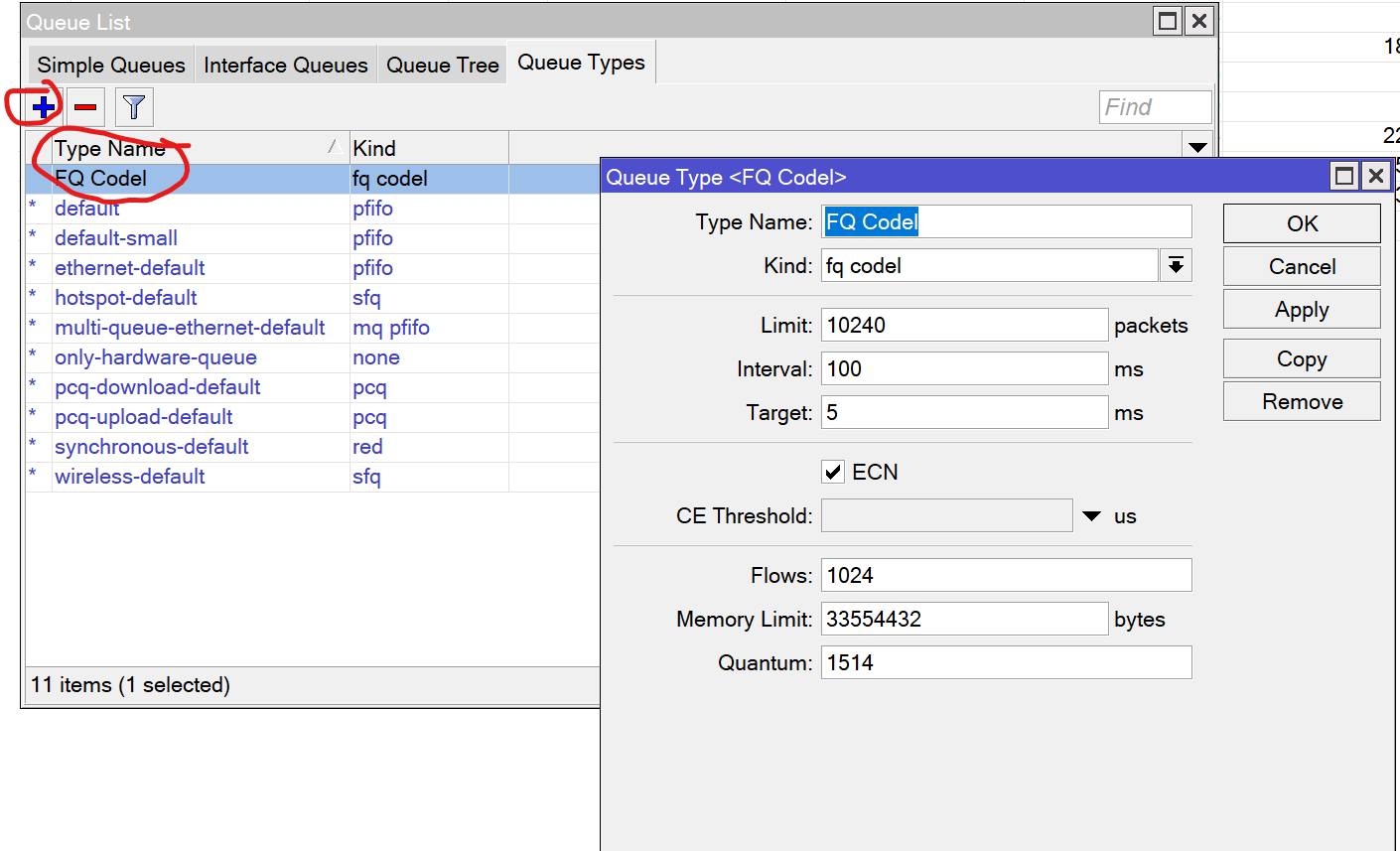
- Step 2: Apply it to BridgeLAN and BridgeA, the virtual bridge carrying multiple PPPoE connections.
Set Max Limit around 20 Mbps below the combined line capacity as a starting point, then measure and tune it.
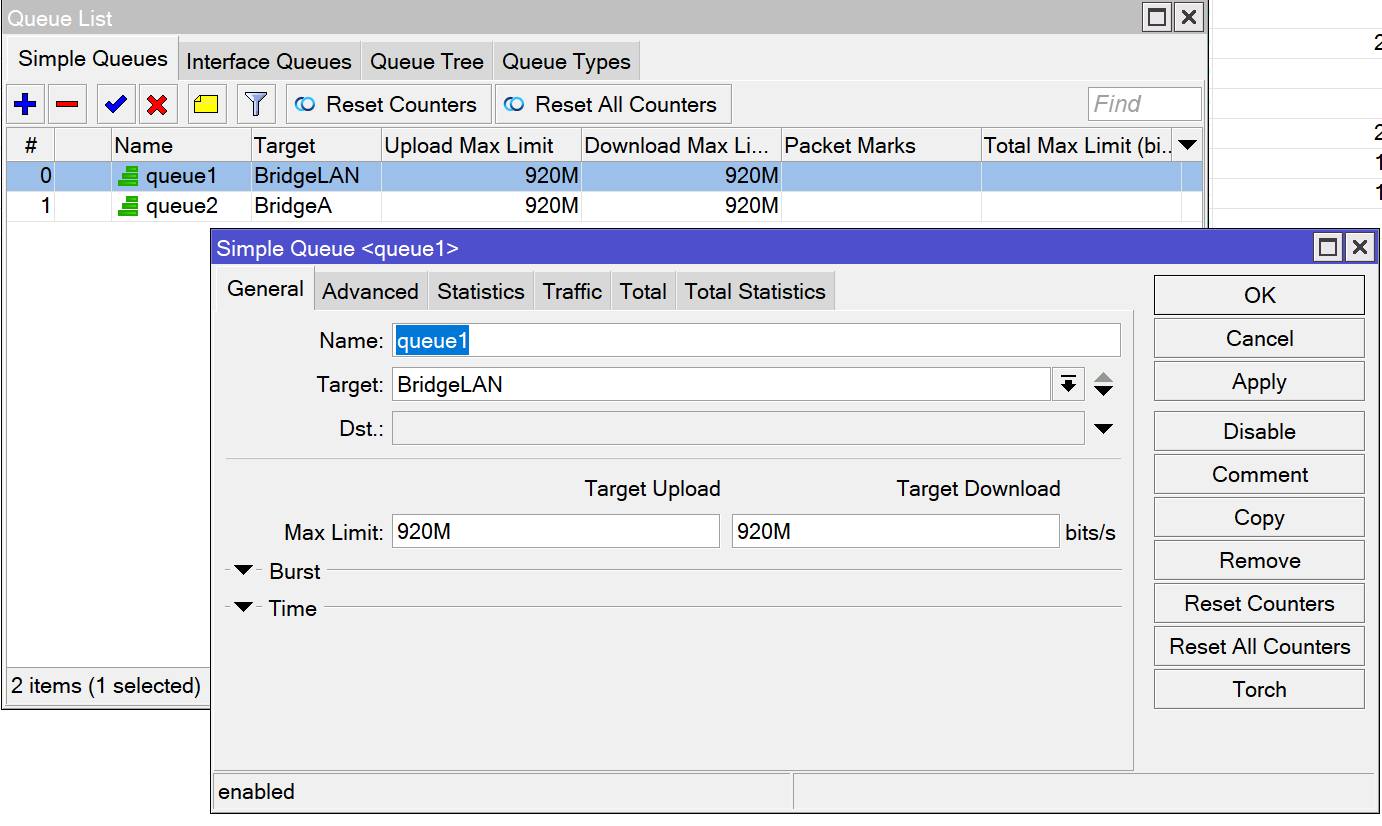
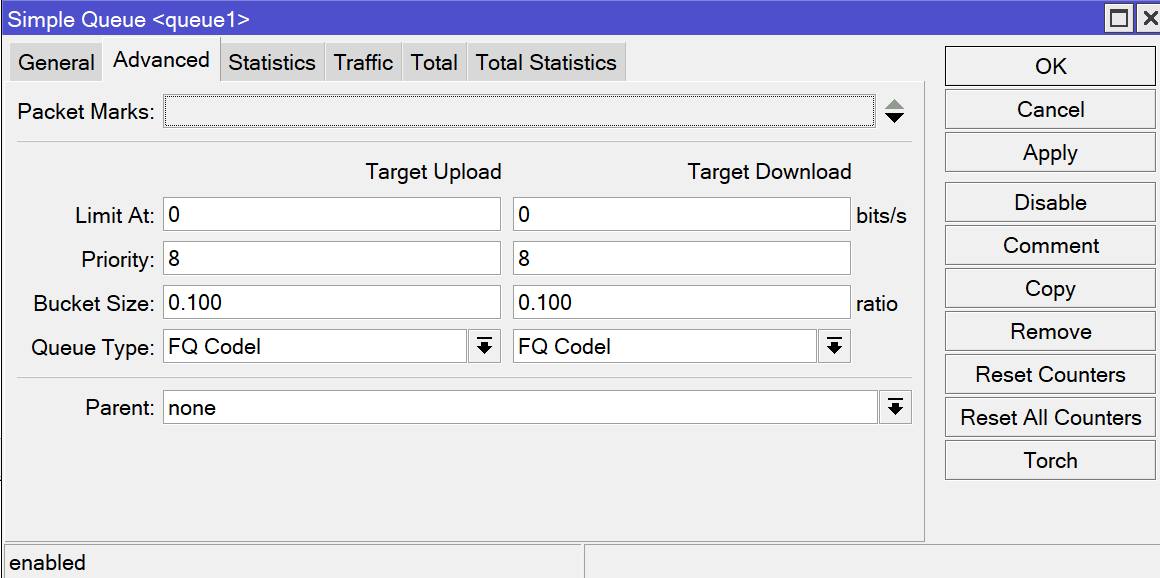
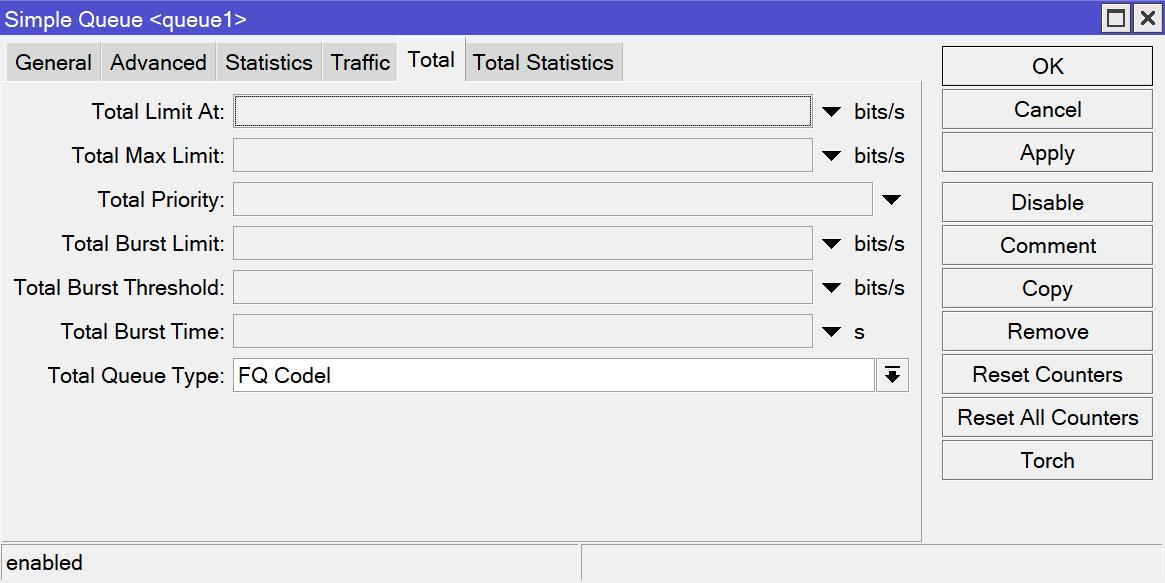
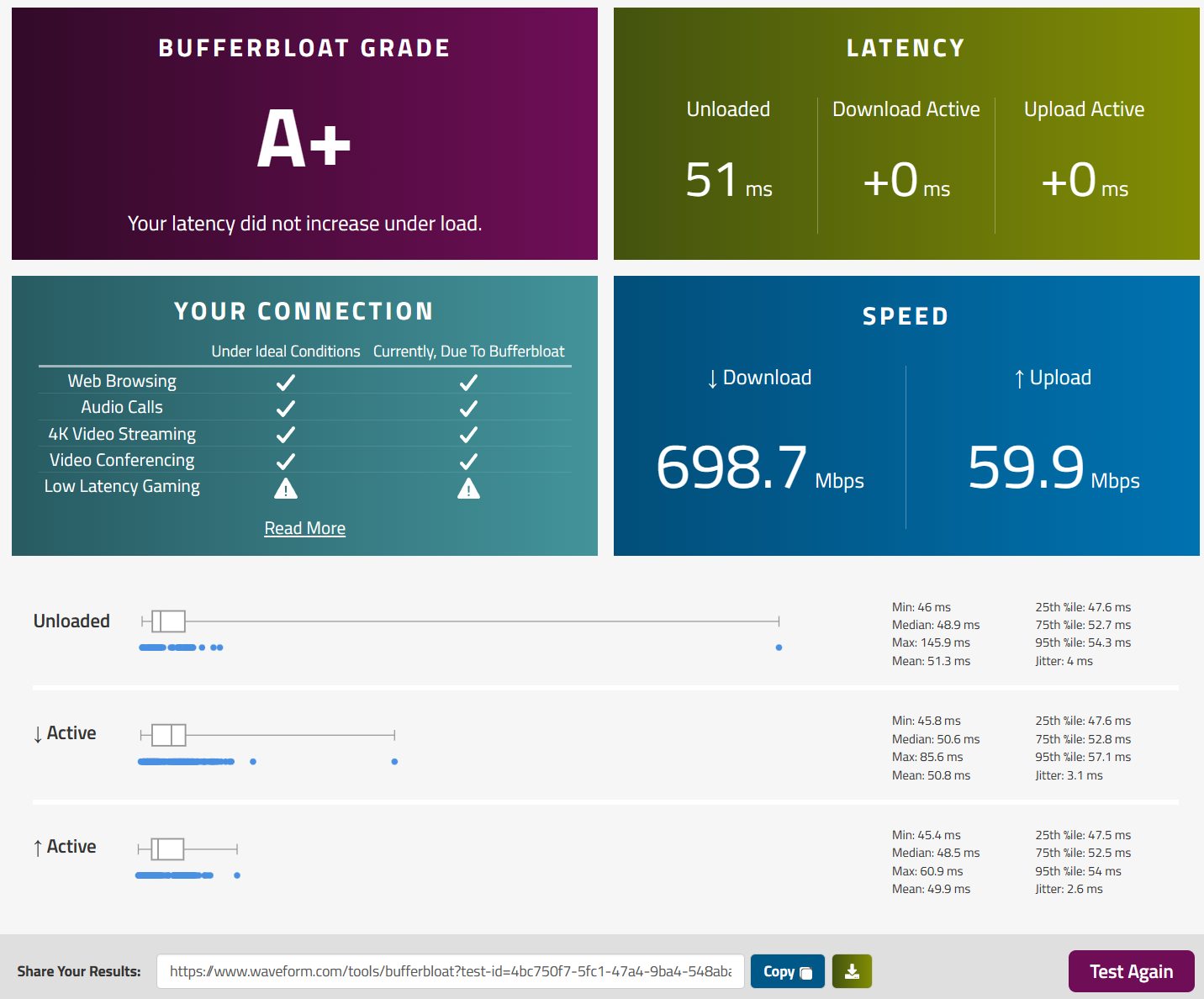
- Step 3: Run the Waveform Bufferbloat test.
Good luck!
Combining queue management with a DNS service such as NextDNS can improve the overall browsing experience, but test each change separately and do not assume a VPN or DNS service will reduce every kind of latency.
Guide: install AdGuard Home directly on a MikroTik router
- Reference result:
Comments & Discussion
Share your thoughts, ask questions and feedback