How to Port Forward on OpenWrt

Practical example: I use the domain [https://openwrt.router.io.vn] and want to reach [https://openwrt.router.io.vn:5353] remotely to configure the OpenWrt router at home. I use DDNS and open port 5353, forwarding it to the router’s port 80.
Log in to OpenWrt
-
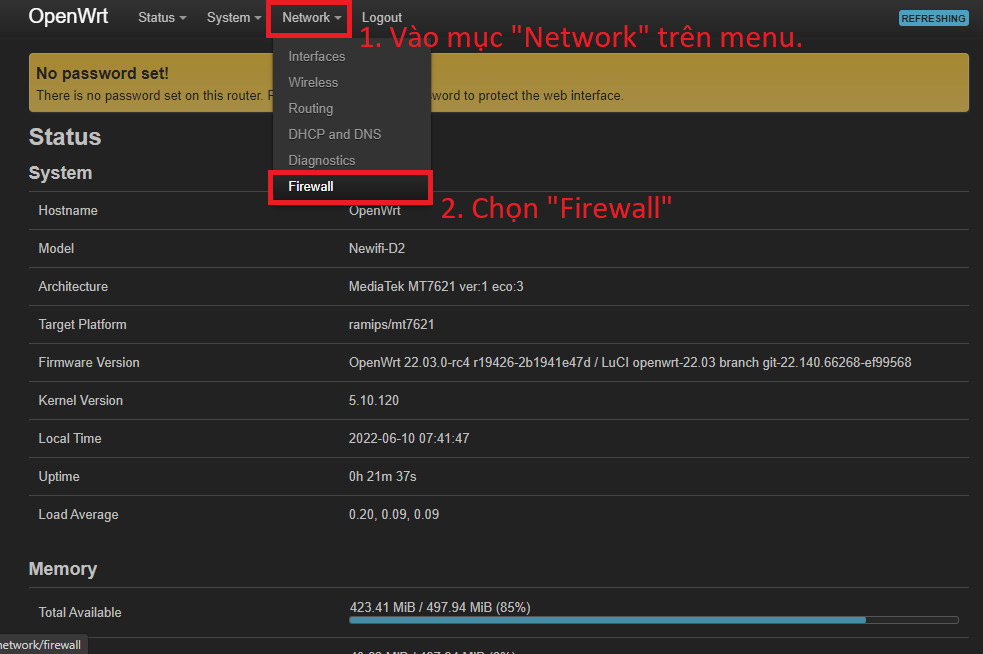
Open Network > Firewall. {{< collapse “Screenshot” >}}
 {{< /collapse >}}
 -
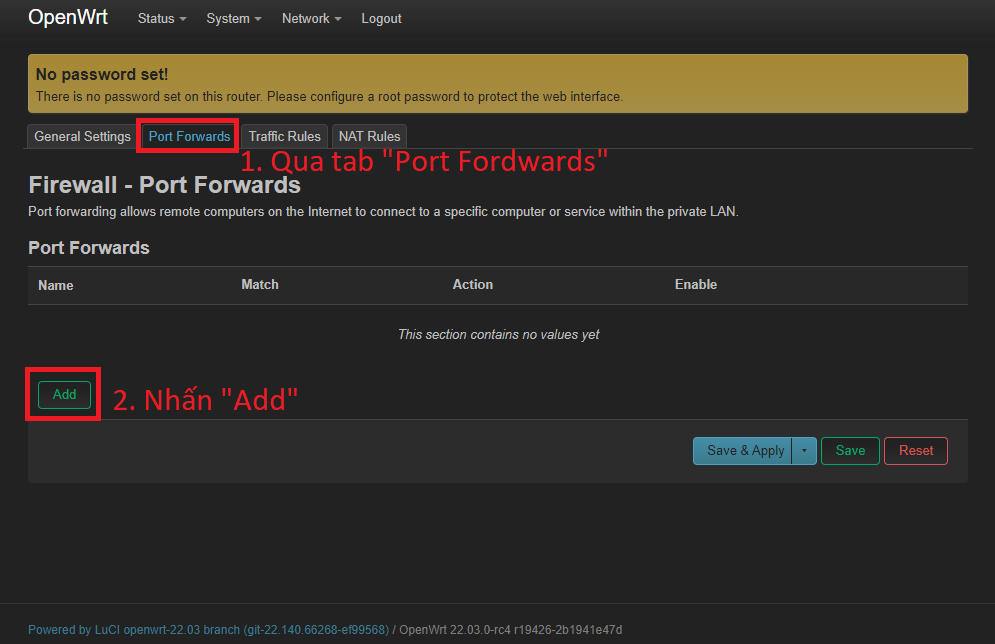
Open the Port Forward tab and click Add. {{< collapse “Screenshot” >}}
 {{< /collapse >}}
 -
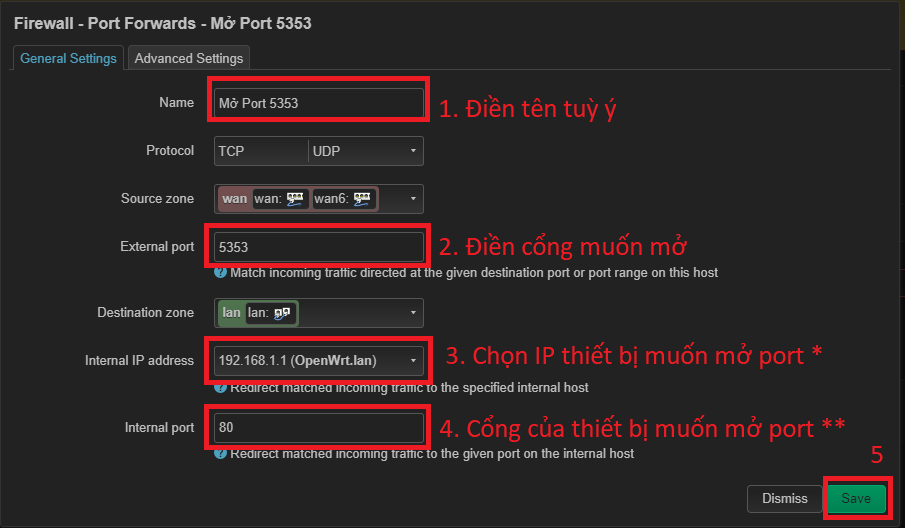
Fill in the popup as follows:
- Name: Any memorable name.
- External port: The Internet-facing port, such as 5353.
- Internal IP address: The LAN IP of the target device. For example, the router may be
192.168.1.1, with its web interface on port 80. For a camera, use its IP, such as192.168.1.10. - Internal port: The port used by the target device. If a camera uses port 1234, enter 1234 here.
-
Click Save. {{< collapse “Screenshot” >}}
 {{< /collapse >}}
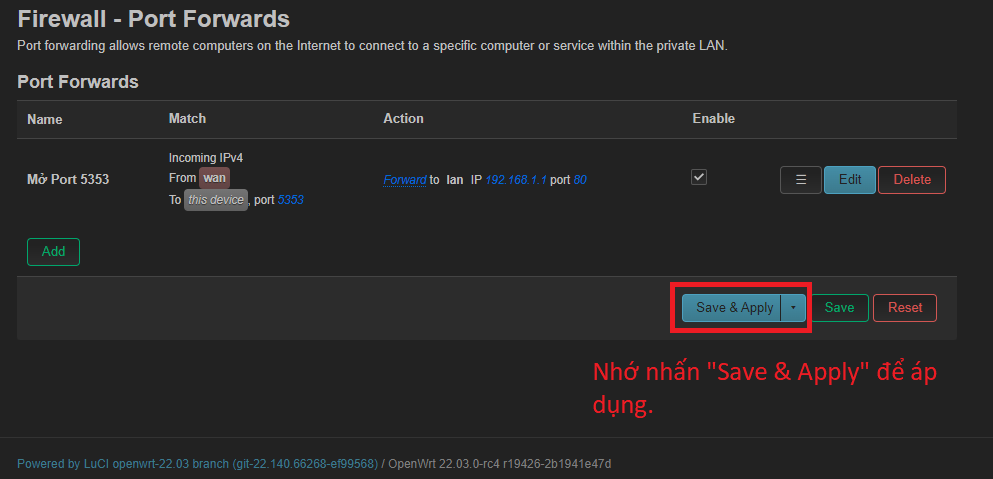
Do not forget to click Save & Apply to apply the change.
{{< collapse “Screenshot” >}}
 {{< /collapse >}}
{{<notice “info”>}} Most residential connections use a dynamic public IP that changes after a reconnect. Use a DDNS service to solve this; see How to configure DDNS on OpenWrt. {{}}
Good luck.
Comments & Discussion
Share your thoughts, ask questions and feedback