How I Flashed Global Firmware on a Huawei AX3 Pro

Nghia Phan
This article summarizes how I dumped a global ROM from an AX3 Pro Global unit and flashed it onto a domestic AX3 Pro.
Quảng cáo
- Huawei firmware is very different from that of many other brands such as Xiaomi, ZTE, and H3C. Although the CPU and Wi-Fi chips may be similar, Huawei encrypts and packages many parts of its software. Even a small mistake while dumping the ROM can brick the router.
- There are generally two ways to modify the system:
- The first is through software: find and use a security vulnerability, then install new firmware. This avoids hardware work and can use a backup supplied by someone with a global-ROM device, but finding a usable vulnerability is difficult and reliable information is scarce. I did not use this method.
- The second is through hardware. It can dump the system storage without the software restrictions, but requires hardware skills, several tools, and many complicated steps. It also requires access to a router already running global firmware. I used this method after CheeStore provided a device for the work.
- Huawei uses common NAND manufacturers such as Winbond, MXIC, Toshiba, and GigaDevice. These NAND chips commonly have capacities from 128 MB to 512 MB and use a WSON8 package.
- Unlike leaded NAND packages that can be quickly connected to a T48 with a clip, WSON8 is an SMD package and cannot be connected with the same type of clip.
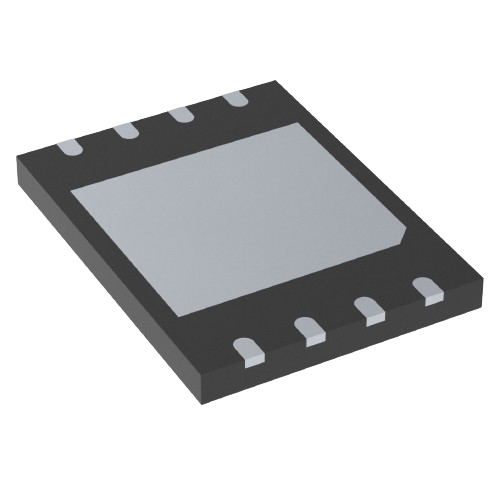
One of the NAND chips used by Huawei is the MX35LF1GE4AB:
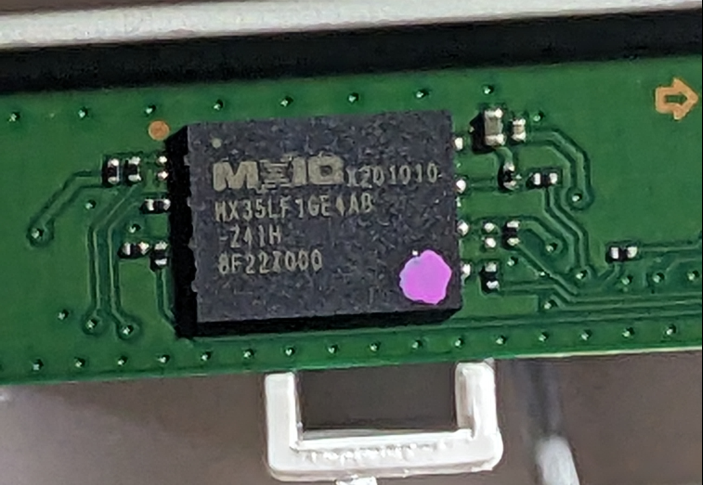
To dump the ROM, I used XGecu Pro’s T48 programmer.
- First, connect the NAND chip to the T48 socket.
- I initially tried soldering wires directly from the router mainboard to see whether the T48 could identify the NAND. Fortunately, the T48 could communicate with the NAND in-circuit without removing the chip.
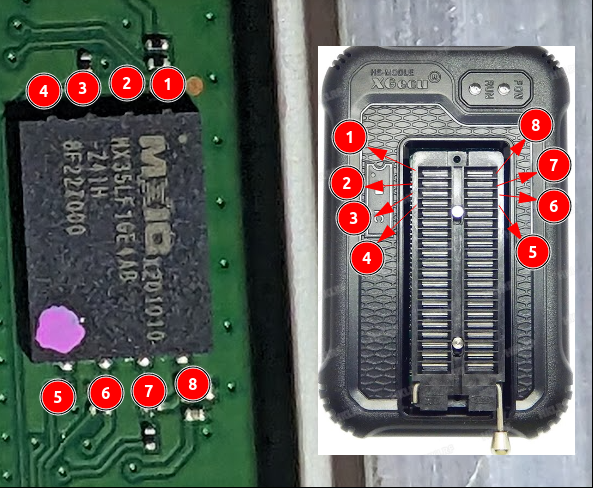
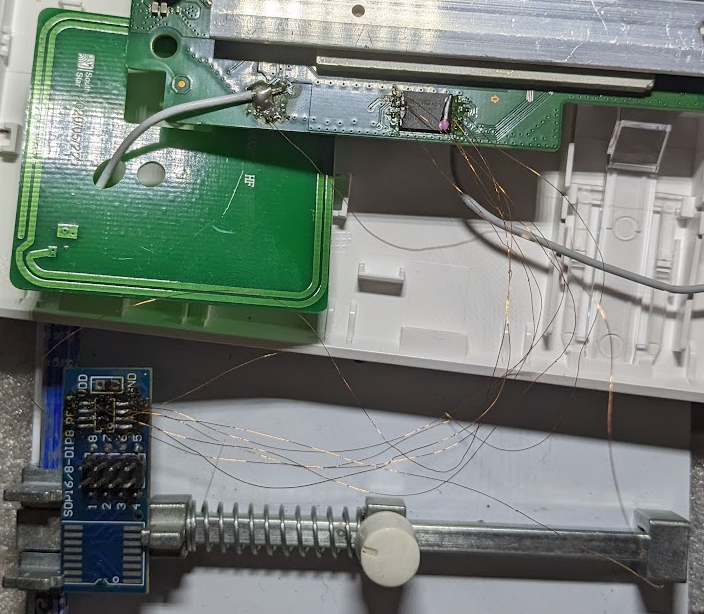
- If the T48 cannot communicate with the NAND while it is on the board, use a hot-air rework station to remove the NAND from the mainboard.
- I initially tried soldering wires directly from the router mainboard to see whether the T48 could identify the NAND. Fortunately, the T48 could communicate with the NAND in-circuit without removing the chip.
After connecting the NAND to the T48, dump the ROM. Open XGpro, configure the device, click READ, and save the result.

At this point, the global ROM is available. The next step is to write it to another device.
- Flashing the ROM uses essentially the same connection as dumping it.
- A raw ROM dump contains the original device’s software data, including its MAC address and serial number. Writing it directly to another router can therefore create duplicate MAC and SN values.
- Two routers with identical identity data can conflict when used together, and mesh functionality may not work correctly.

The next task was to find a way to correct those values.
- Huawei’s root filesystem is encrypted and packaged using the vendor’s algorithm, so it cannot be modified directly with the usual tools.
- With support from CheeStore and further investigation, a way to fix the identity data was found.
- Huawei stores the MAC address and serial number in a readable form inside the ROM, without requiring extensive unpacking or modification.
- Use a hex editor such as HxD to locate the MAC and SN in the ROM file and edit them directly.

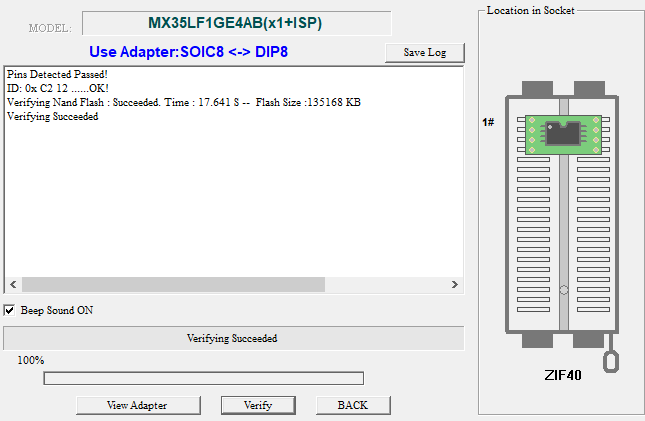
Finally, write the modified ROM back to the NAND, verify it, reconnect the power, and test the router.
If you need global firmware installed on a domestic Huawei AX3 or AX3 Pro, contact me first so that the exact hardware and recovery method can be checked.
Comments & Discussion
Share your thoughts, ask questions and feedback