How to Change Newifi3 D2 Stock Firmware from Chinese to English

Nghia Phan
Table of Contents
This guide changes the interface from Chinese to English (you can translate it to Vietnamese yourself 🤣). It is for users who like the stock firmware but do not read Chinese.
Requirements
- A computer or phone that can use SCP. This guide uses a PC.
- WinSCP for Windows, available here.
- The English language file. You can translate it into Vietnamese if needed, but keep the syntax and leave the filename as base.cn.json.
📎 Attachments
1 file - 📄Downloadbase.cn.json35.6 KB • 0 downloads
If the attachment cannot be downloaded, use this Drive link: Download.
Procedure
- Enable superuser (root) mode and OpenSSH.
- Open
http://192.168.99.1/newifi/ifiwen_hss.html.192.168.99.1is the default IP of Newifi3 D2 stock firmware; replace it if you changed the router address.
- Open
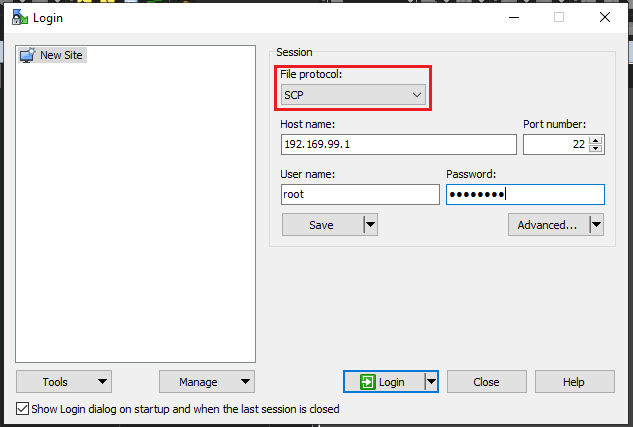
- Open WinSCP and configure the login dialog:
- File Protocol: SCP
- Hostname: Newifi3 D2 IP, normally
192.168.99.1, port22. - Username: root
- Password: The password set during the initial Newifi3 D2 setup. If forgotten, hold the reset button on the back of the router.
- Click Login.
📂 SCP login screenshot ▼
- After login, double-click
..to return to the root directory.
- Open www, then newifi, then i18n. You will see two files.
📂 Illustration ▼
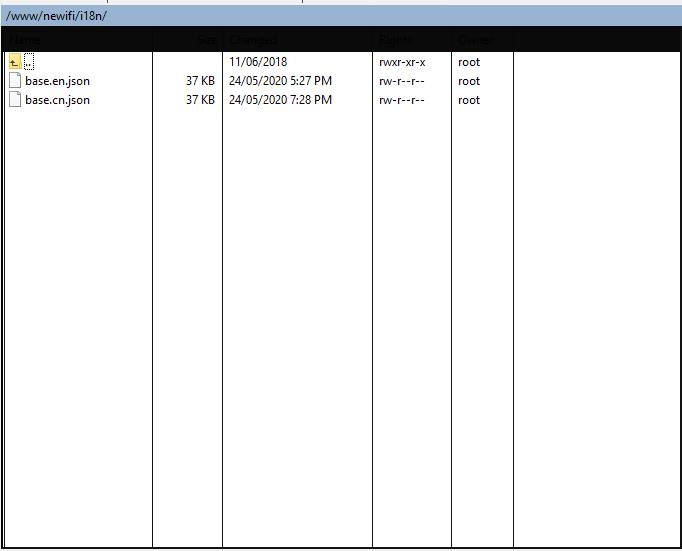
- Drag the downloaded base.cn.json into the directory and choose Replace.
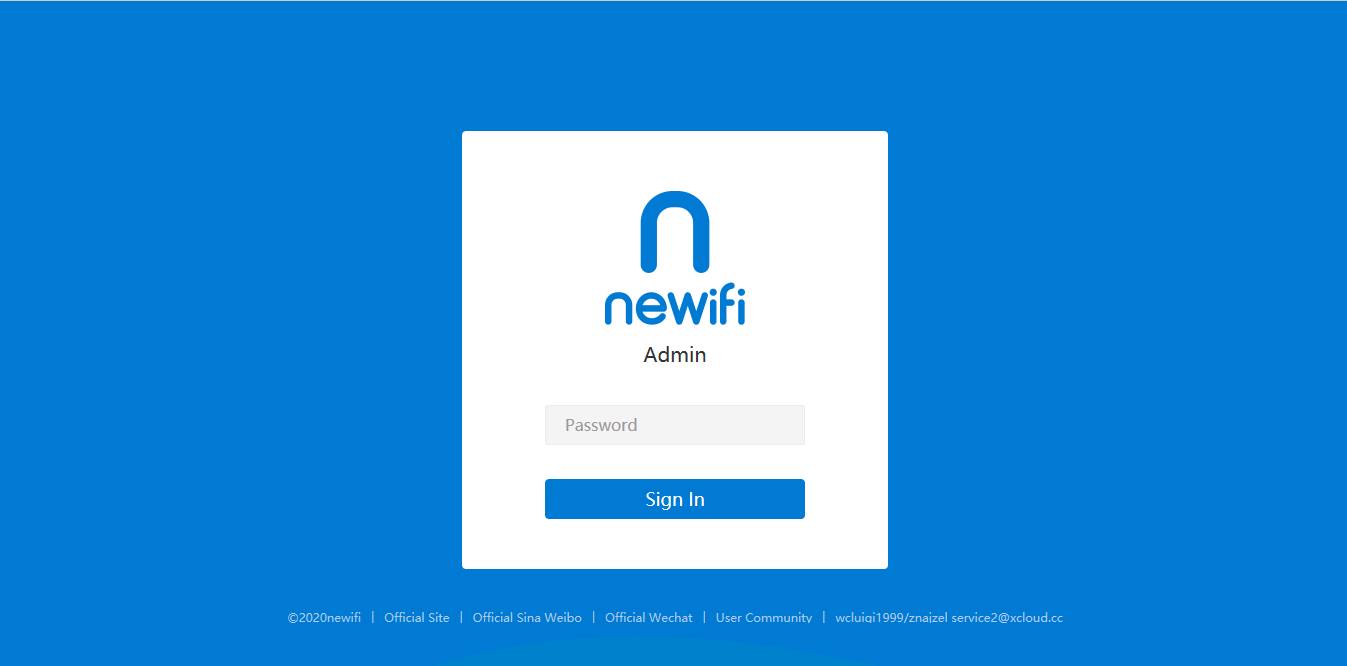
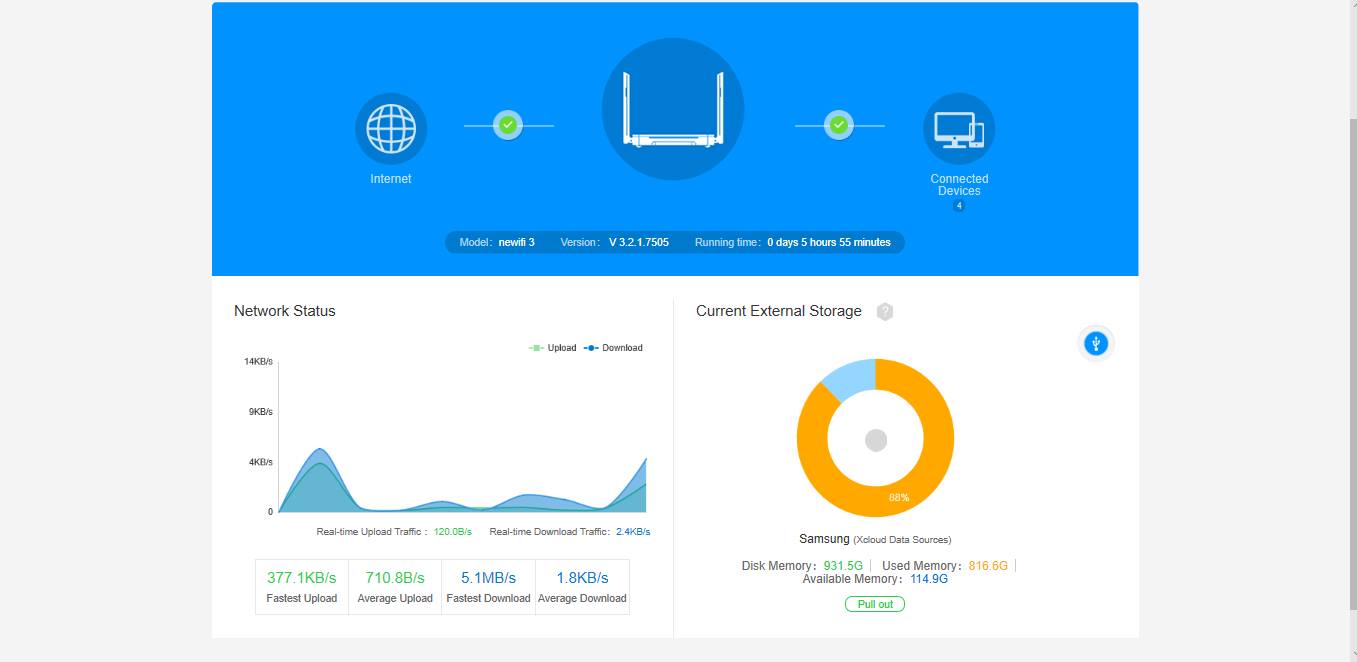
- Reload the Newifi3 D2 dashboard to see the English interface.
📂 English stock firmware ▼
Good luck.
Tags:
#Newifi
Comments & Discussion
Share your thoughts, ask questions and feedback