How to Change TTL on Padavan Firmware

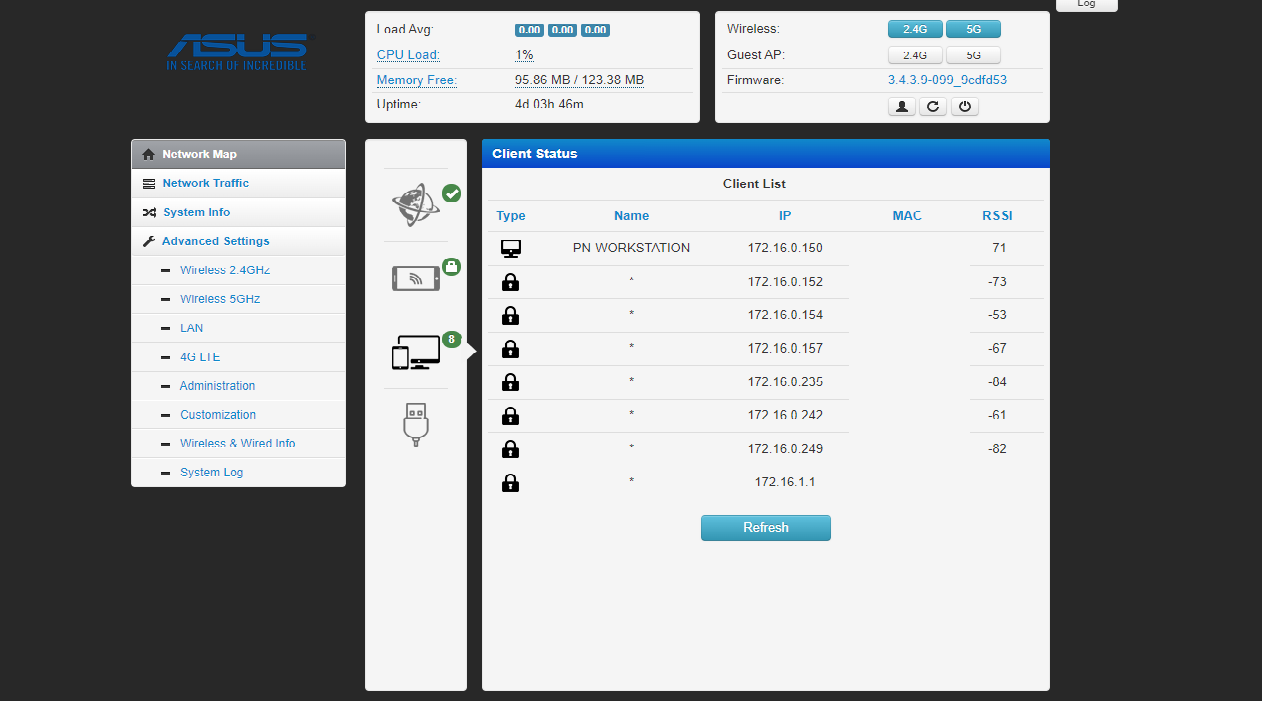
Time to live can be understood as the number of hops a packet is allowed to remain in a network. When the value reaches zero, the packet is discarded and is not forwarded any further.
TTL is not measured in seconds; it is a hop count. If a packet starts with TTL n, every router or Layer 3 device it crosses decreases the value by 1 before forwarding it. When the value reaches 0, the device discards the packet. TTL helps prevent routing loops; switched networks use mechanisms such as spanning tree for a different class of loop prevention.
The TTL shown by ping is the TTL of the ICMP reply received by your computer. It equals the sender’s initial TTL minus the number of hops. For example, if the remote device sends a reply with TTL 256 and the packet crosses 10 hops, you see TTL 246. If the initial value is 128, you see TTL 118.
The initial TTL depends on the operating system or network stack of the remote device. Windows commonly starts at 128, Linux at 64, and Solaris at 256; these values can be changed.
Changing TTL on Padavan firmware
Step 1. Enable SSH
Open SSH on the firmware, then log in with PuTTY or another SSH client.
-
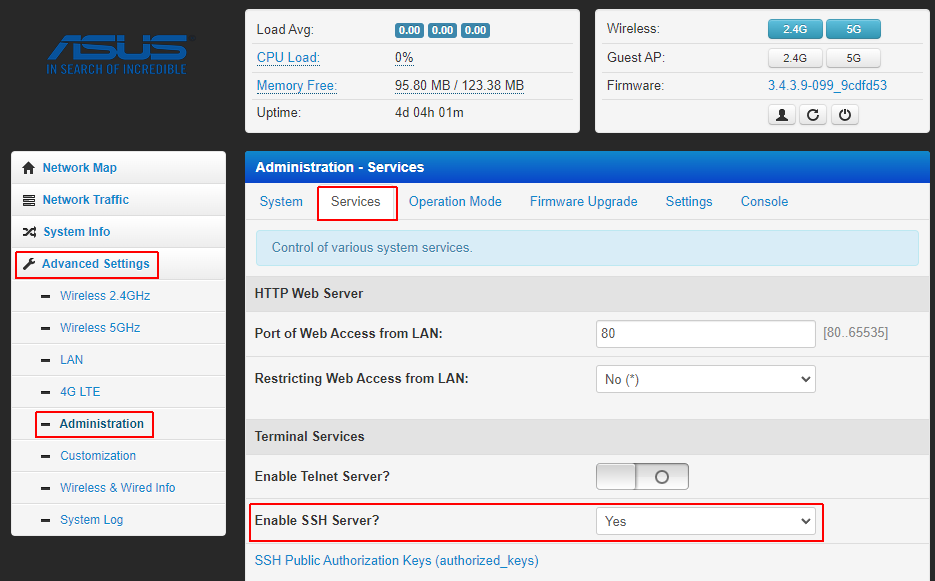
In the Padavan management interface, open Advanced Settings > Administration > Services.
-
Use PuTTY, or open PowerShell on Windows and run
ssh [email protected]. Confirm the host key if prompted, then enter the Padavan username and password. -
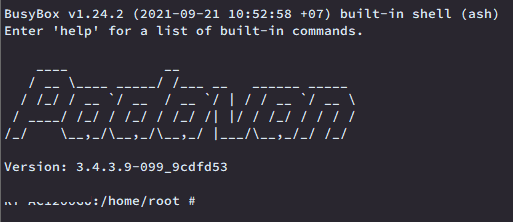
The screenshot below shows a successful login.
-
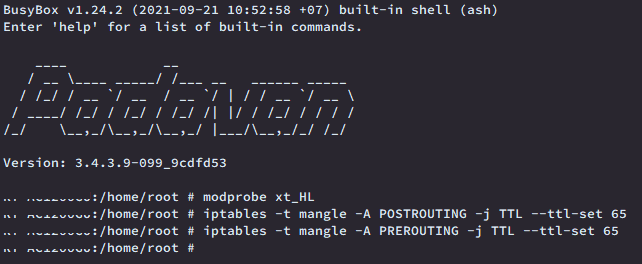
Run these commands:
modprobe xt_HLiptables -t mangle -A POSTROUTING -j TTL --ttl-set 65iptables -t mangle -A PREROUTING -j TTL --ttl-set 65If there is no error, the shell returns to the next prompt without additional output. For other errors, check the kernel module and firmware support before continuing.
Bonus: run the commands automatically
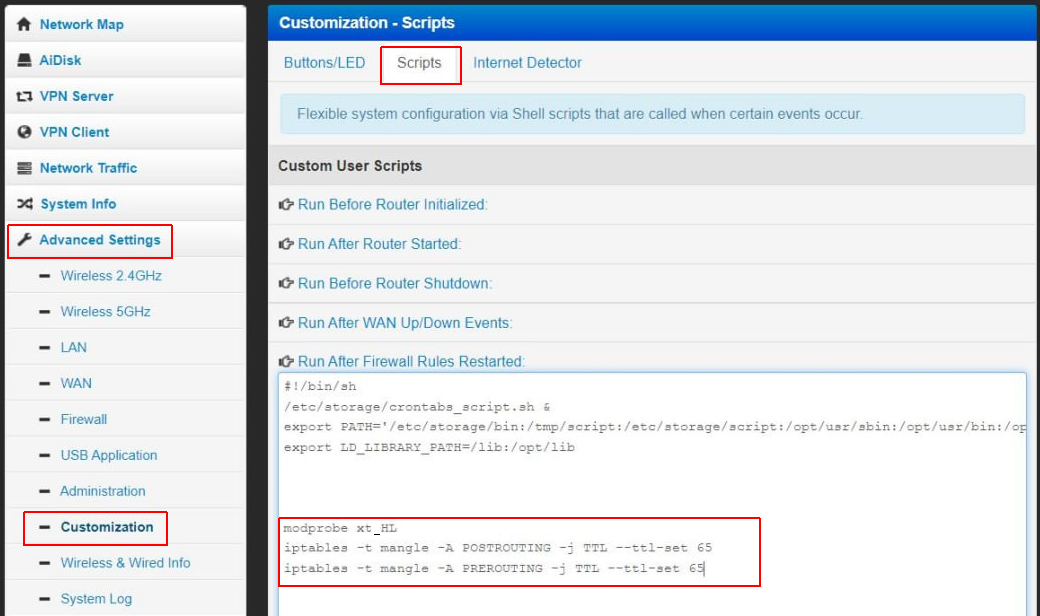
Add the commands to the firmware’s startup script so that they are applied after reboot.
Good luck!
Comments & Discussion
Share your thoughts, ask questions and feedback