Xiaomi Mi AIoT Router AX3600 Firmware Collection and Related Information

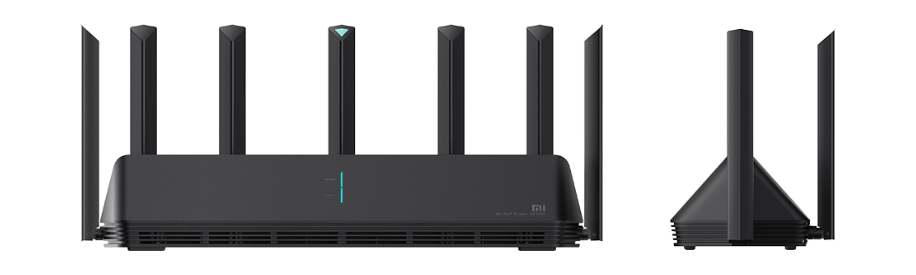
I. Specifications
📂 Specifications table ▼
||||| |—|—|—| |Hardware|CPU|1.4GHz quad-core A53 IPQ8071A| |||Network processor|1.7GHz dual-core NPU| |||ROM|256MB| |||Memory|512MB| |||2.4G Wi-Fi|2x2, IEEE 802.11ax, theoretical maximum 574Mbps| |||5G Wi-Fi|4x4, IEEE 802.11ax, theoretical maximum 2402Mbps| |||Antennas|6 detachable high-gain antennas + 1 detachable AIoT antenna| |||Cooling|Passive cooling| |||Ports|1x 10/100/1000M adaptive WAN + 3x 10/100/1000M adaptive LAN, Auto MDI/MDIX| |||LEDs|7: system, Internet, four LAN, and AIoT status LEDs| |||Reset buttons|1| |||Power ports|1| |||Standards|IEEE 802.11a/b/g/n/ac/ax, IEEE 802.3/3u/3ab| |Wireless|Dual-band|2.4GHz and 5GHz| |||Modulation|11b DSSS; 11a/g OFDM; 11n, 11ac, and 11ax MIMO-OFDM; MCS0–MCS15/MCS9/MCS11 as applicable| |Software|Operating system|Mi Wi-Fi Smart Router OS based on a heavily customized OpenWrt version| |||Wireless security|WPA-PSK/WPA2-PSK/WPA3-SAE, access control, hidden SSID, and smart unauthorized-access blocking| |||Management|Web, Android, and iOS support| |||Security|Access control, guest network, DoS protection, SPI firewall, IP/MAC binding, and IP/MAC filtering|
II. Stock ROM collection
||||| |—|—|—| |China stock ROM|Version|Download| |||1.0.17|Xiaomi CDN/Mirror| |||1.0.50|Xiaomi CDN/Mirror| |||1.0.66|Xiaomi CDN/Mirror| |||1.0.67|Xiaomi CDN/Mirror| |||1.0.74|Xiaomi CDN/Mirror| |||1.0.79|Xiaomi CDN/Mirror| |||1.1.15|Xiaomi CDN/Mirror| |||1.1.19|Xiaomi CDN/Mirror| |International stock ROM|Version|Download| |||3.0.22|Xiaomi CDN/Mirror|
III. Enable OpenSSH on stock firmware
1. Downgrade the firmware
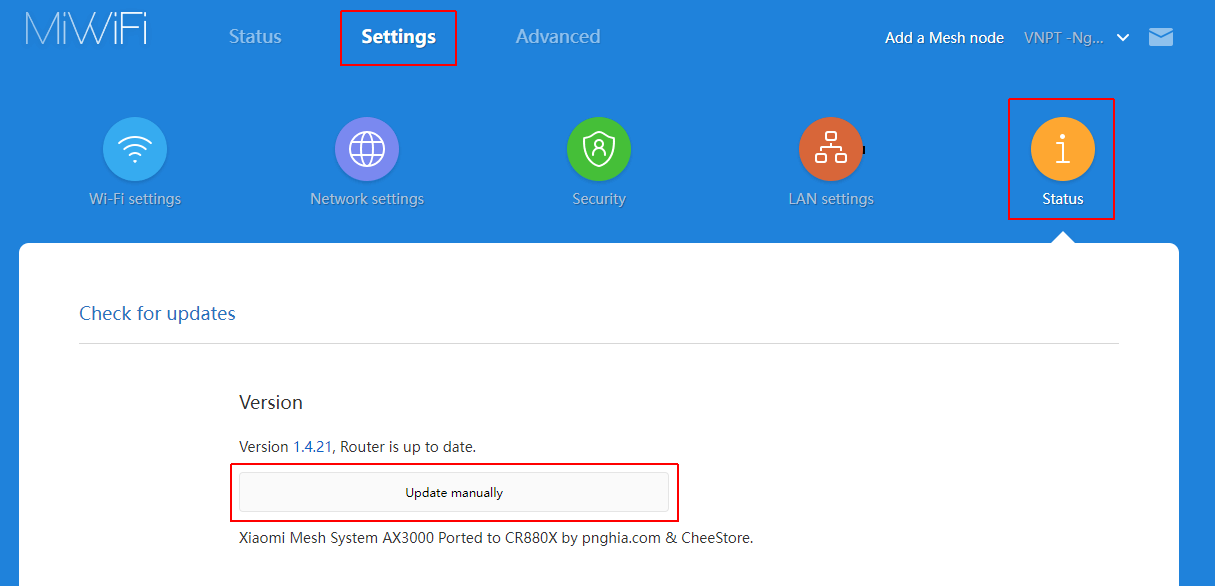
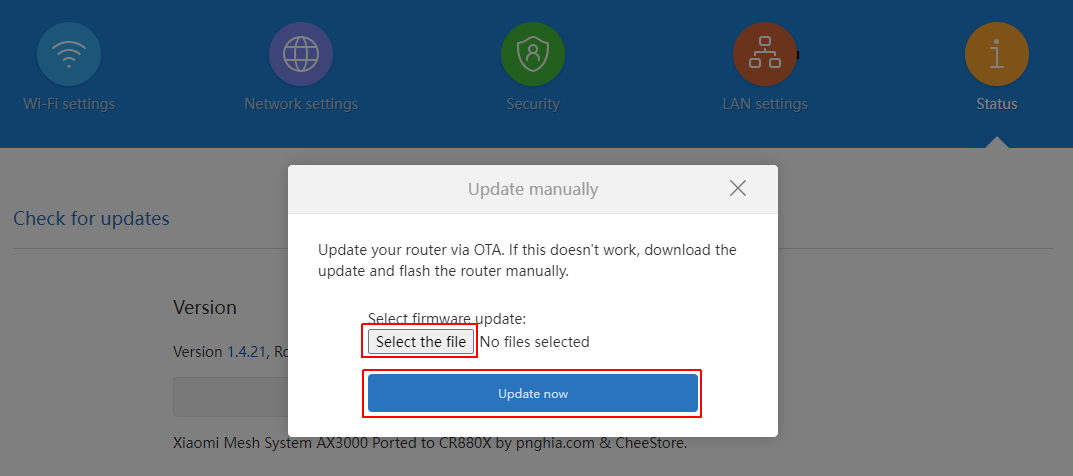
To enable OpenSSH, first downgrade to a vulnerable firmware version. Log in to the router and downgrade to 1.0.17 using the Xiaomi CDN or mirror. The router reboots after the downgrade.
📂 Screenshots ▼
2. Enable OpenSSH
After reboot, log in again. The URL contains a stok token:
http://192.168.31.1/cgi-bin/luci/;stok=d2d55f6e595e236044bfff0b444e2c51/web/home#router
Replace the remainder of the URL as follows, keeping your own stok value:
http://192.168.31.1/cgi-bin/luci/;stok=d2d55f6e595e236044bfff0b444e2c51/api/misystem/set_config_iotdev?bssid=Xiaomi&user_id=longdike&ssid=-h%3Bnvram%20set%20ssh%5Fen%3D1%3B%20nvram%20commit%3B
Press Enter. When the browser returns {"code":0}, run the second URL:
http://192.168.31.1/cgi-bin/luci/;stok=d2d55f6e595e236044bfff0b444e2c51/api/misystem/set_config_iotdev?bssid=Xiaomi&user_id=longdike&ssid=-h%3B%20nvram%20set%20ssh_en%3D1%3B%20nvram%20commit%3B%20sed%20-i%20’s%2Fchannel%3D.*%2Fchannel%3D%5C%22debug%5C%22%2Fg’%20%2Fetc%2Finit.d%2Fdropbear%3B%20%2Fetc%2Finit.d%2Fdropbear%20start%3B
Log in over SSH with username root. Get the root password from the serial number:
Alternatively, use this URL to change the root password to admin:
http://192.168.31.1/cgi-bin/luci/;stok=d2d55f6e595e236044bfff0b444e2c51/api/misystem/set_config_iotdev?bssid=Xiaomi&user_id=longdike&ssid=-h%3B%20echo%20-e%20’admin%5Cnadmin’%20%7C%20passwd%20root%3B
IV. Unofficial firmware
QSDK firmware
QSDK firmware is supplied by Qualcomm to vendors for customization. Its drivers are usually closed source and optimized for the device. The shared AX3600 build is based on OpenWrt 19.07 and kernel 5.4.89.
Enable the required environment variables over SSH:
nvram set flag_last_success=0nvram set flag_boot_rootfs=0nvram set boot_wait=onnvram set uart_en=1nvram set telnet_en=1nvram set ssh_en=1nvram commitUse TFTP to copy xiaomimtd12.bin to /tmp, then run:
mtd write /tmp/xiaomimtd12.bin rootfsOpen the QSDK interface at 192.168.1.1, upgrade nand-ipq807x-single.img, and flash it once more after the partition table has changed. Finally, switch boot to the larger rootfs_1 partition:
fw_setenv flag_last_success 0fw_setenv flag_boot_rootfs 0Reference: right.com.cn
Comments & Discussion
Share your thoughts, ask questions and feedback